

With the visual framework in place, the next step is to make it display different information based on the supplied data.
Here is the basic framework I built for debugging and display:
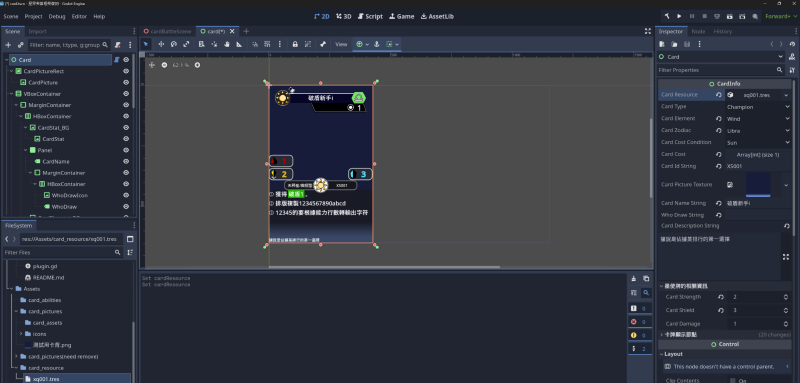
At this stage, I have not implemented ability resolution. Abilities need an instantiated game environment, and their triggers depend on turn mechanics, such as activation timing and specific actions.
I therefore decided to implement the basic numerical calculations before handling stacked ability modifiers. For now, I am working on the presentation.
Choosing the Presentation#
I decided to present this project in 3D.
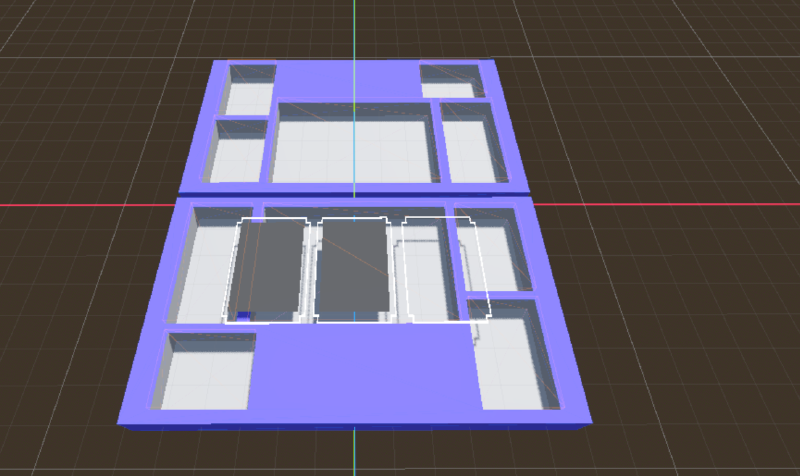
After putting together a rough layout, I found that it did not work very well. The game includes playing cards onto the field, which affects the field’s size and capacity.
That reminded me of a skill-based mobile game I had played. It used transparent rectangular outlines as card placement areas, and I wanted to try something similar.
Here is the result:
Testing Performance and Feasibility#
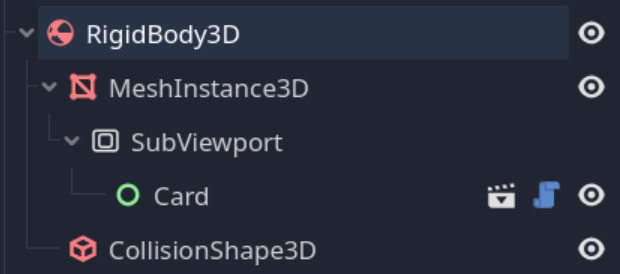
After finishing the basic plan, I wanted to understand the performance requirements in Godot, so I made this card node:
I also used the panku console plugin to help debug the game.
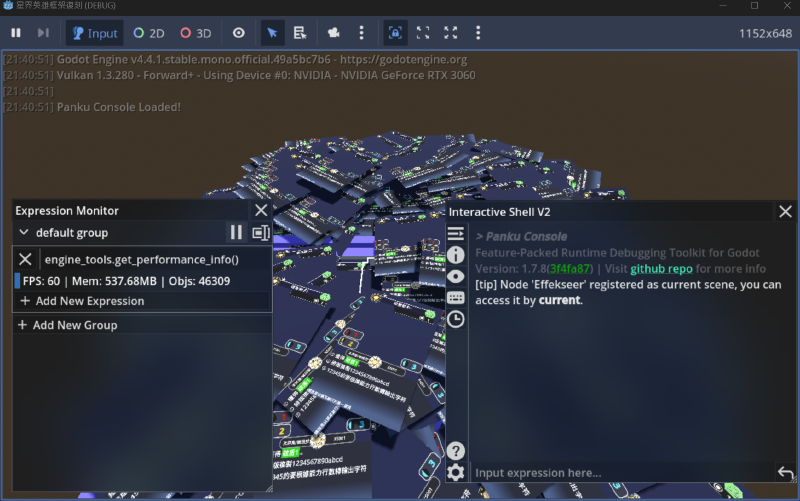
After running it for a while, having many cards did not appear to affect performance much.
Next Time#
I will work on the basic rule operations: placing cards on the field, using abilities, resolving attacks, and moving cards to the damage area. In the following installment, I plan to develop the abilities further and define more activation timings.