SOURCE VIDEO · course27
录屏2.mp4 · 00:16:47
下载本课原视频 MP4 · 37.9 MB ↓ · 全部原片下载
原片:录屏2.mp4。请选择本机对应视频,文件只在浏览器播放,不会上传。
视频来自本机 [本机资料路径]
Cellular → Gradient Ramp → Fire
已查看 34 张间隔画面,并提取 5 个原分辨率参数时点。仍待补齐场景搭建、完整材质、最终色标和对应 MAX;本片没有直接完成最终彩色火焰。
Cellular → Gradient Ramp (Source Map) → Physical Material (Emission Color Map)
先看每个节点的工作:Cellular 提供灰度斑块;Gradient Ramp 用 Solid 插值将灰度分成清晰的黑白区域;Coordinates 的 Tiling 改变斑块比例。本片先做形状,后续再核对火焰颜色和动画。
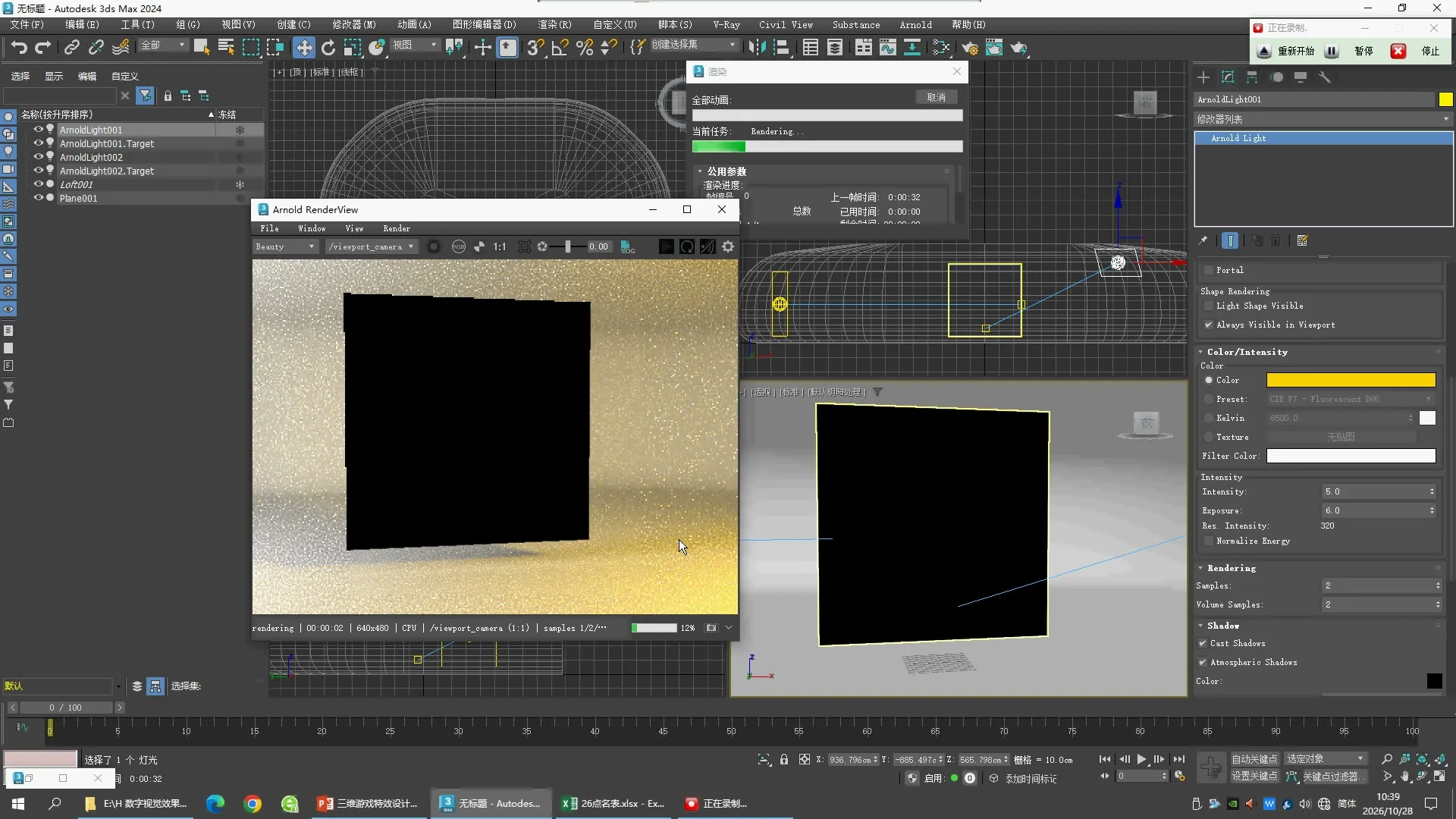
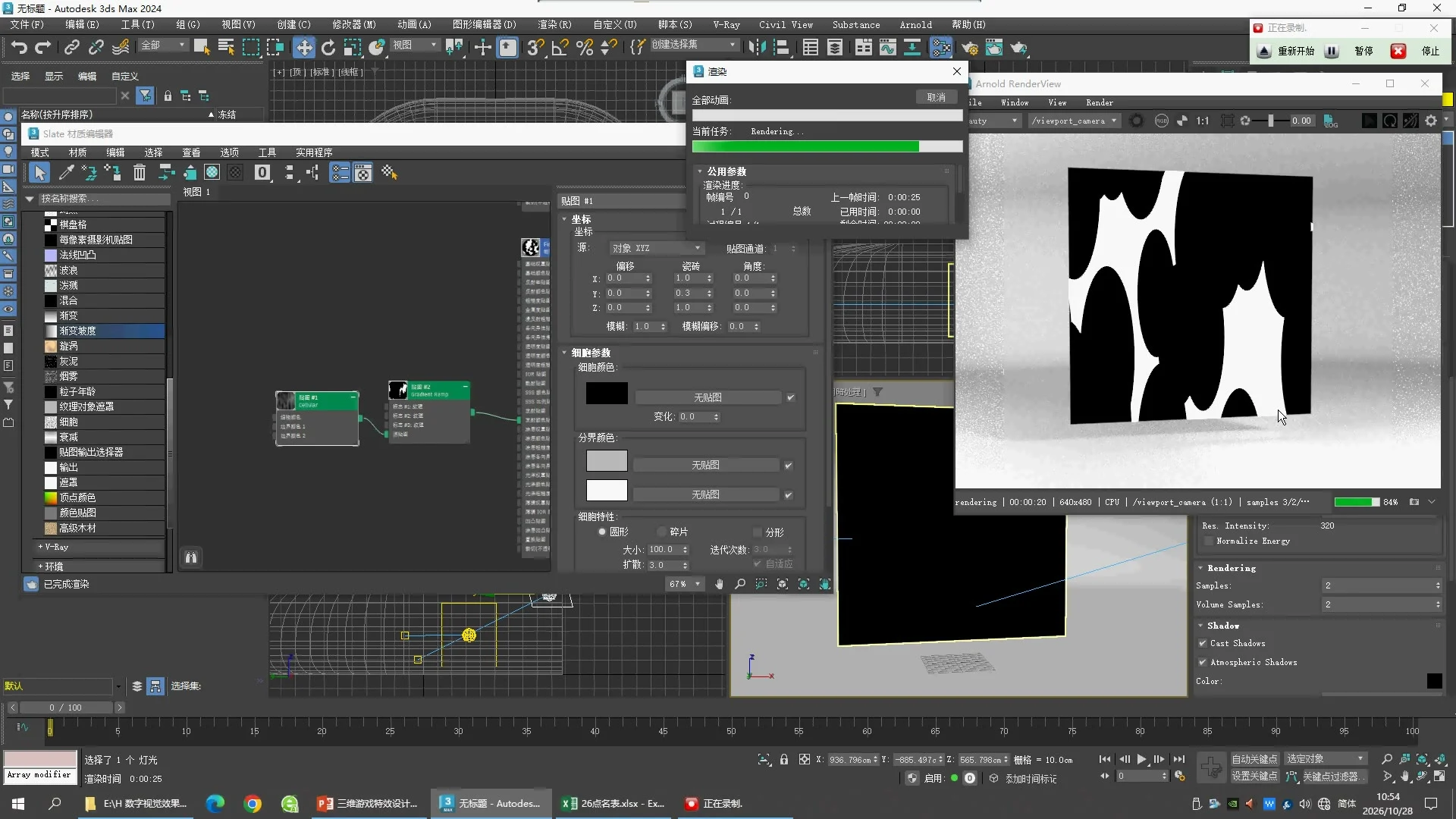
04:10 · Material and light
本节使用 Arnold 渲染,Fire 节点为 Physical Material;此时可见 Base Weight 0、Reflection Weight 0。ArnoldLight001 此时 Intensity 5、Exposure 6、Resulting Intensity 320。材质编辑器正在拖动,完整材质面板需在其他时点继续核对。
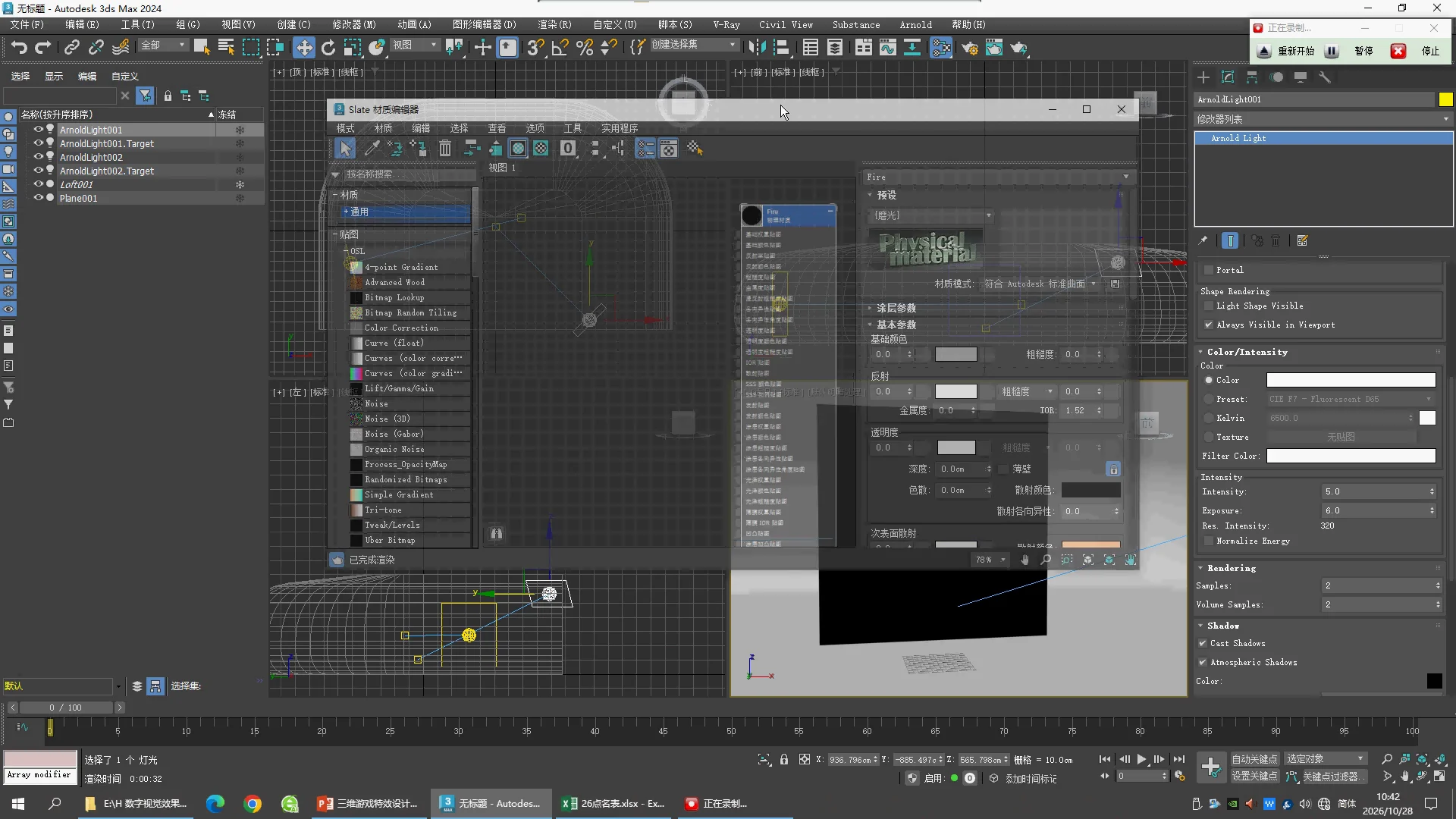
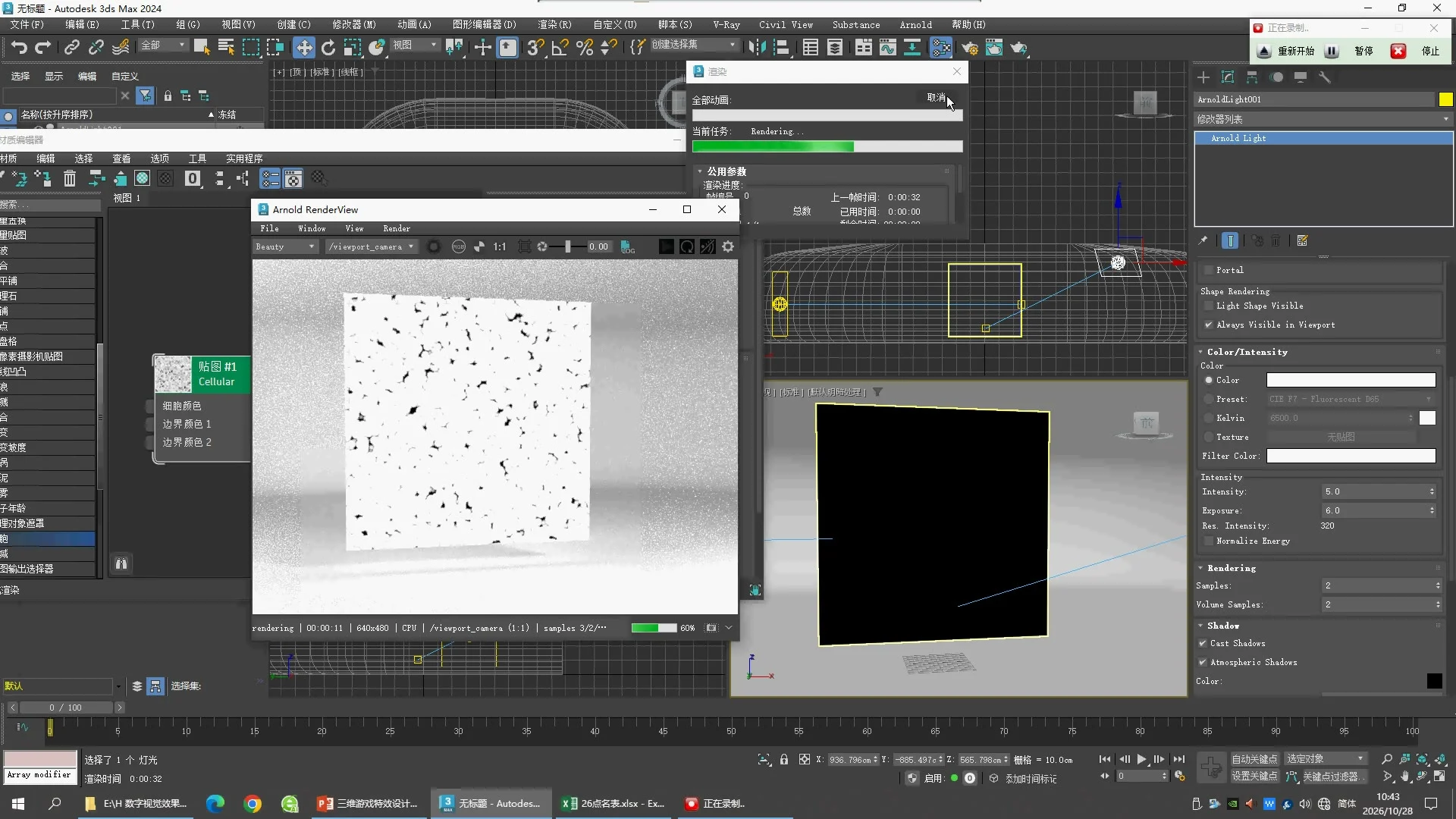
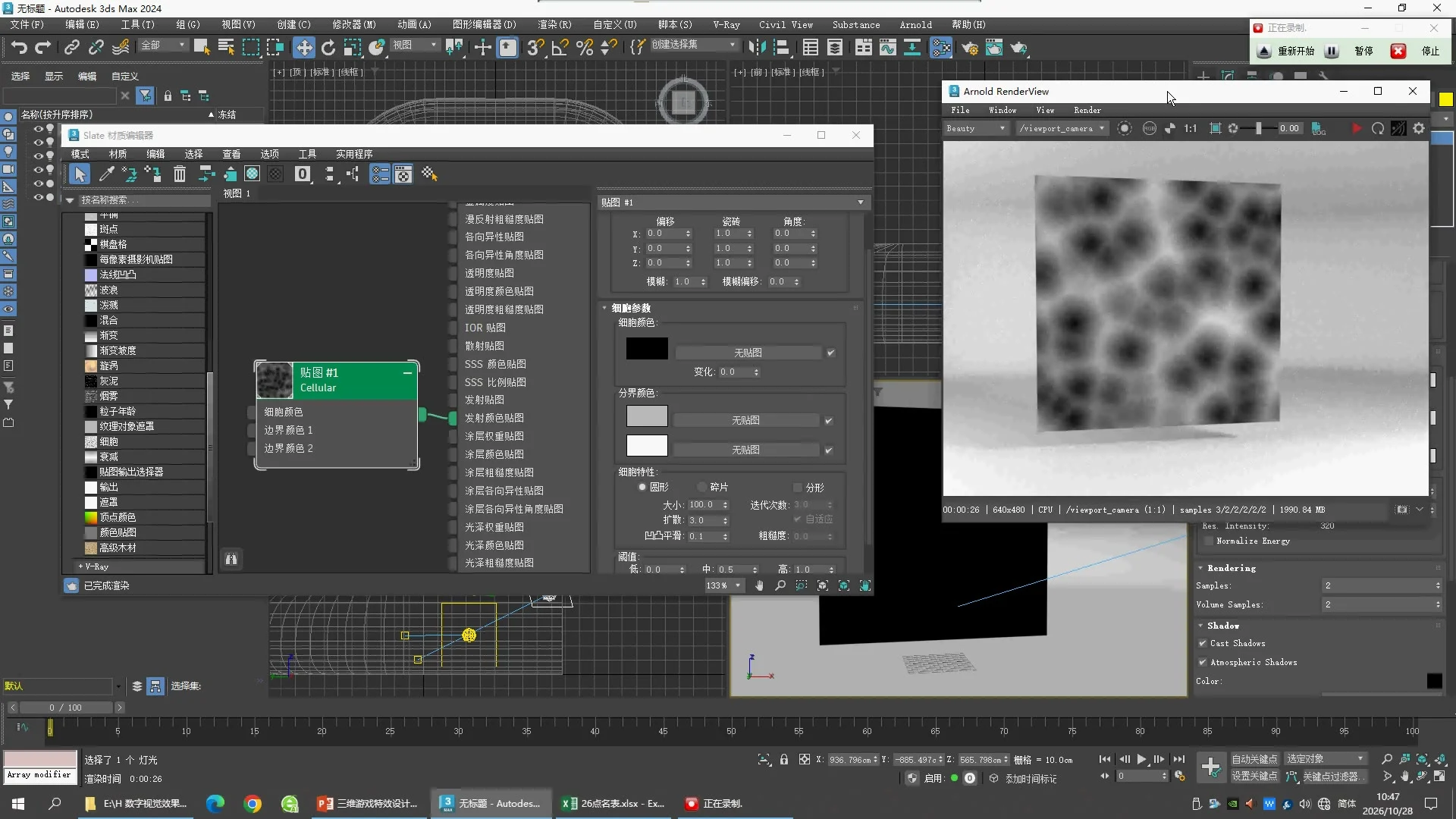
09:10 · Cellular source
Cellular 接 Fire 的 Emission Color Map。Cell Color 黑,Border Color 1 灰,Border Color 2 白。Circular;Size 100;Spread 3;Fractal Off;Bump Smoothing 0.1;Threshold Low/Mid/High = 0/0.5/1。颜色精确值未展开。
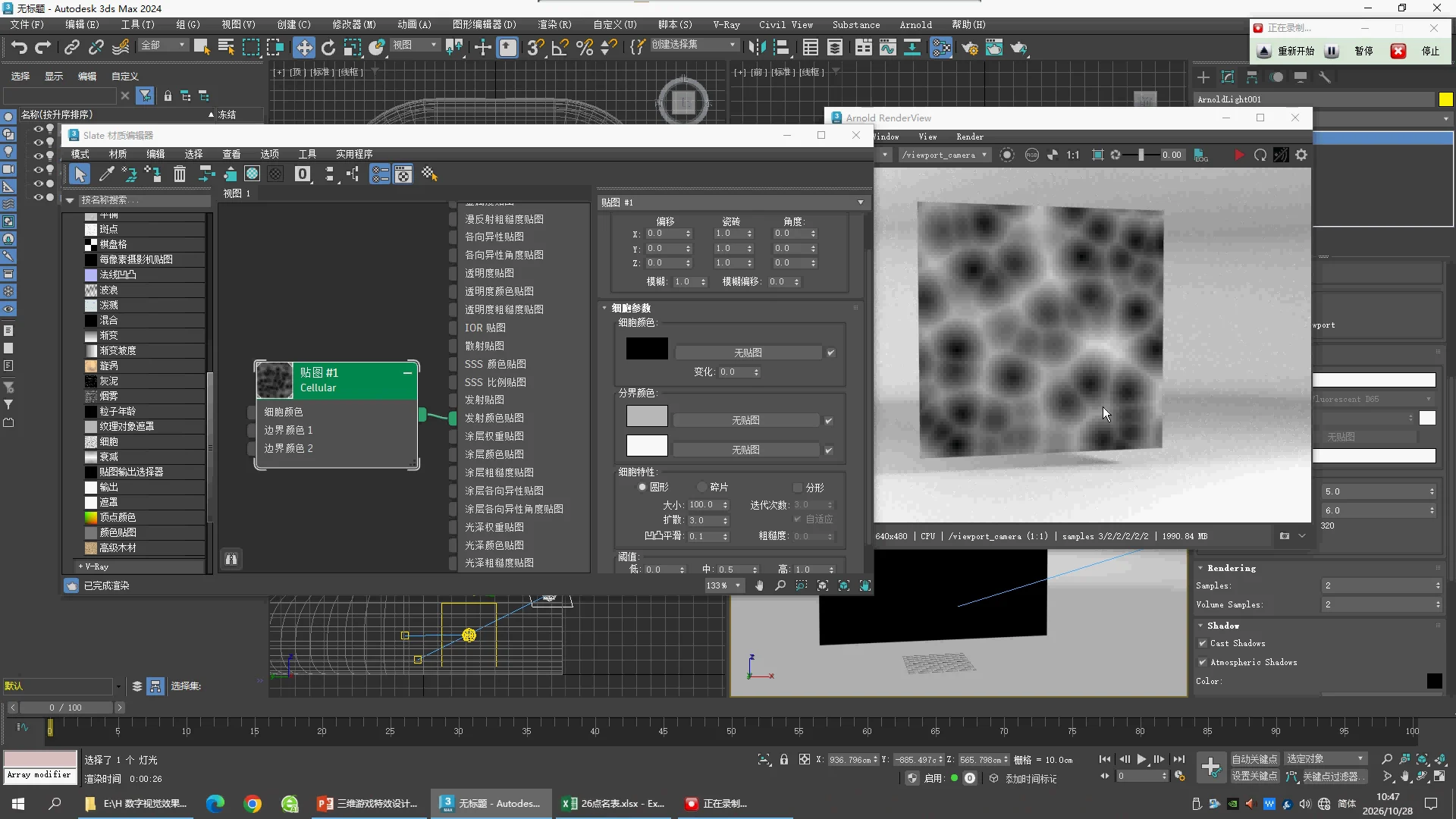
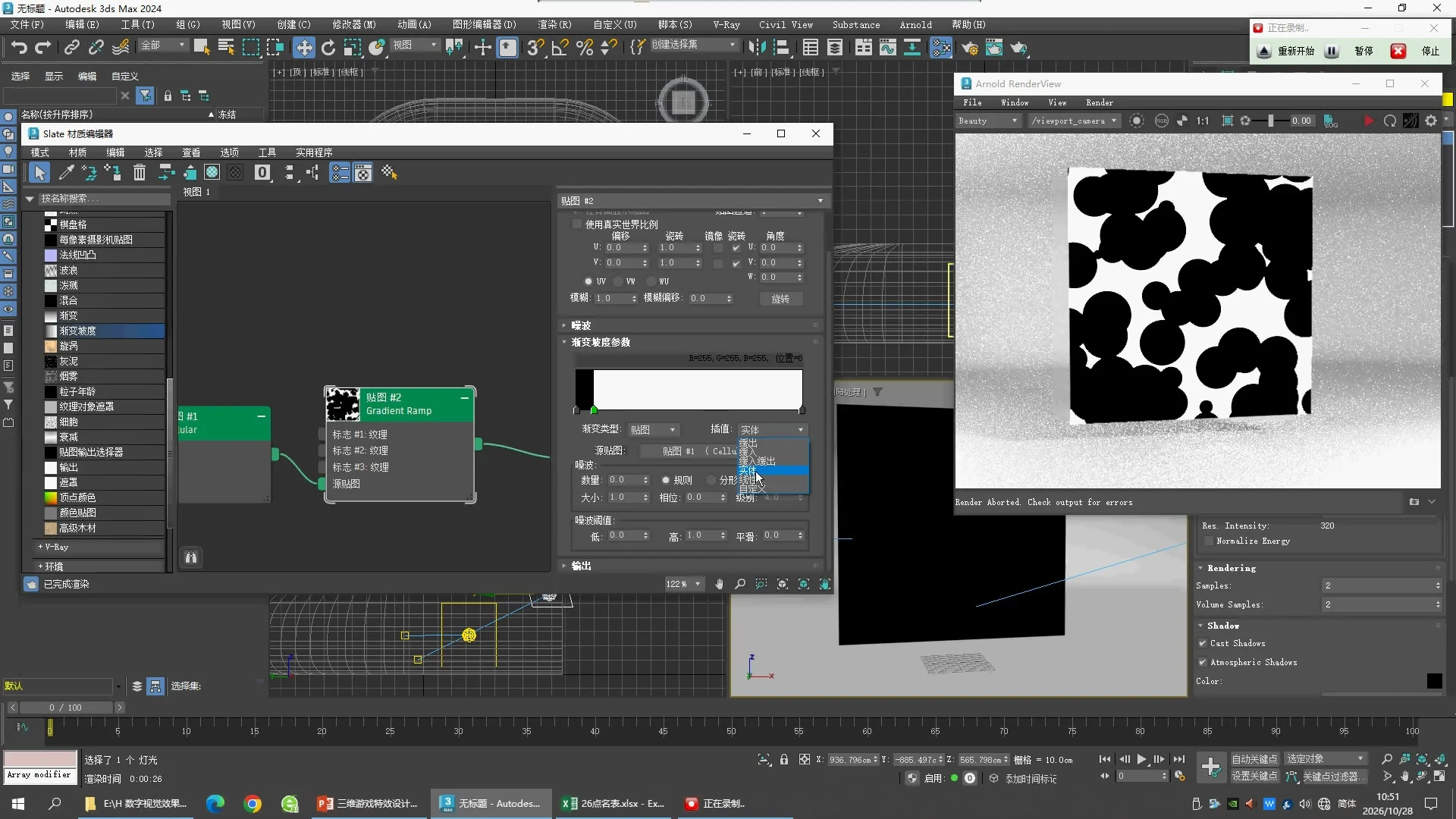
12:30 · Remap the source
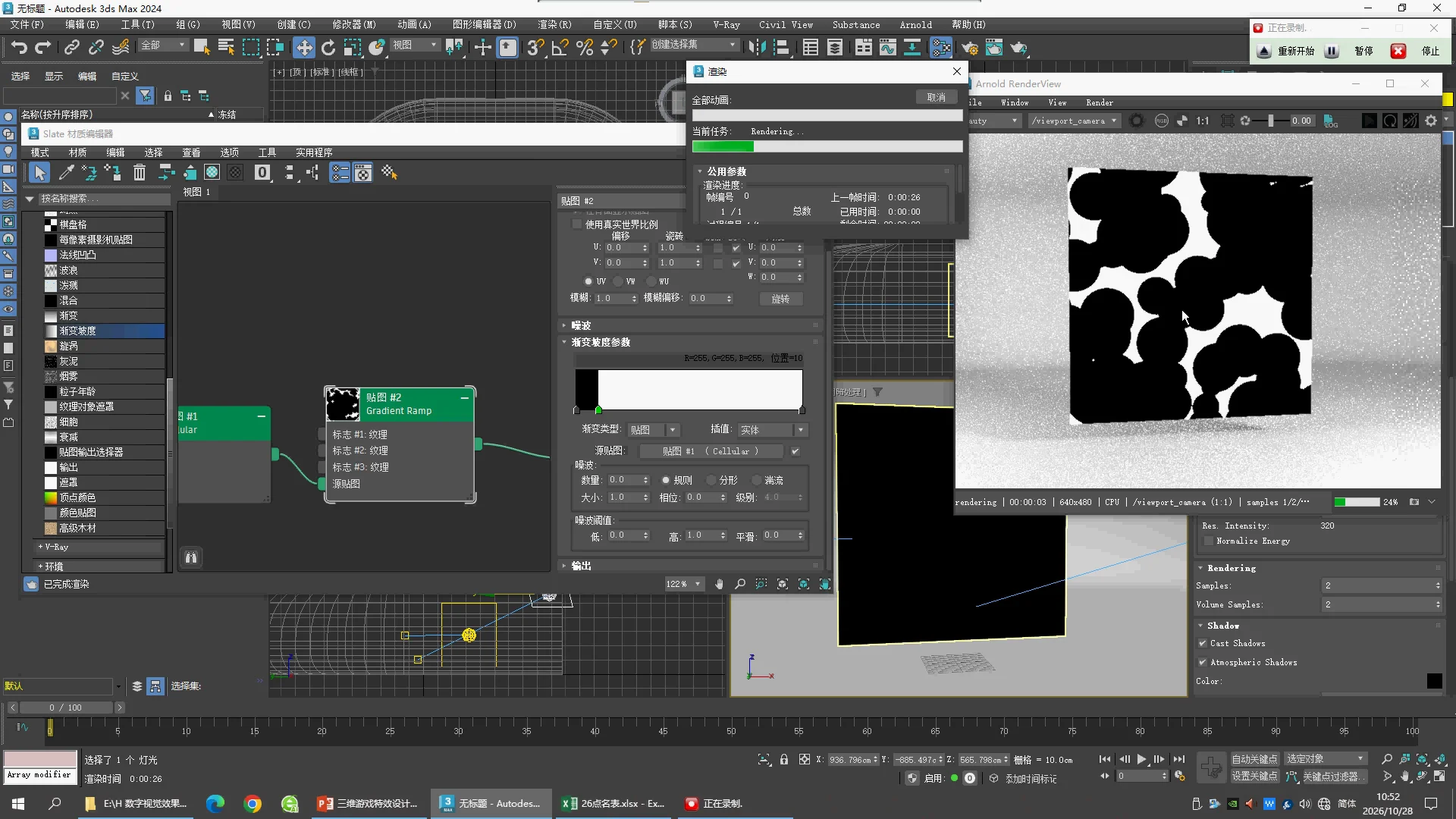
Cellular → Gradient Ramp Source Map。Gradient Type = Mapped,Interpolation = Solid,Noise Amount = 0。这时选中的中间色标 Position 30、RGB 128/128/128,是试验时点;右侧 render 已中止,因此黑屏不能用来判断最终效果。
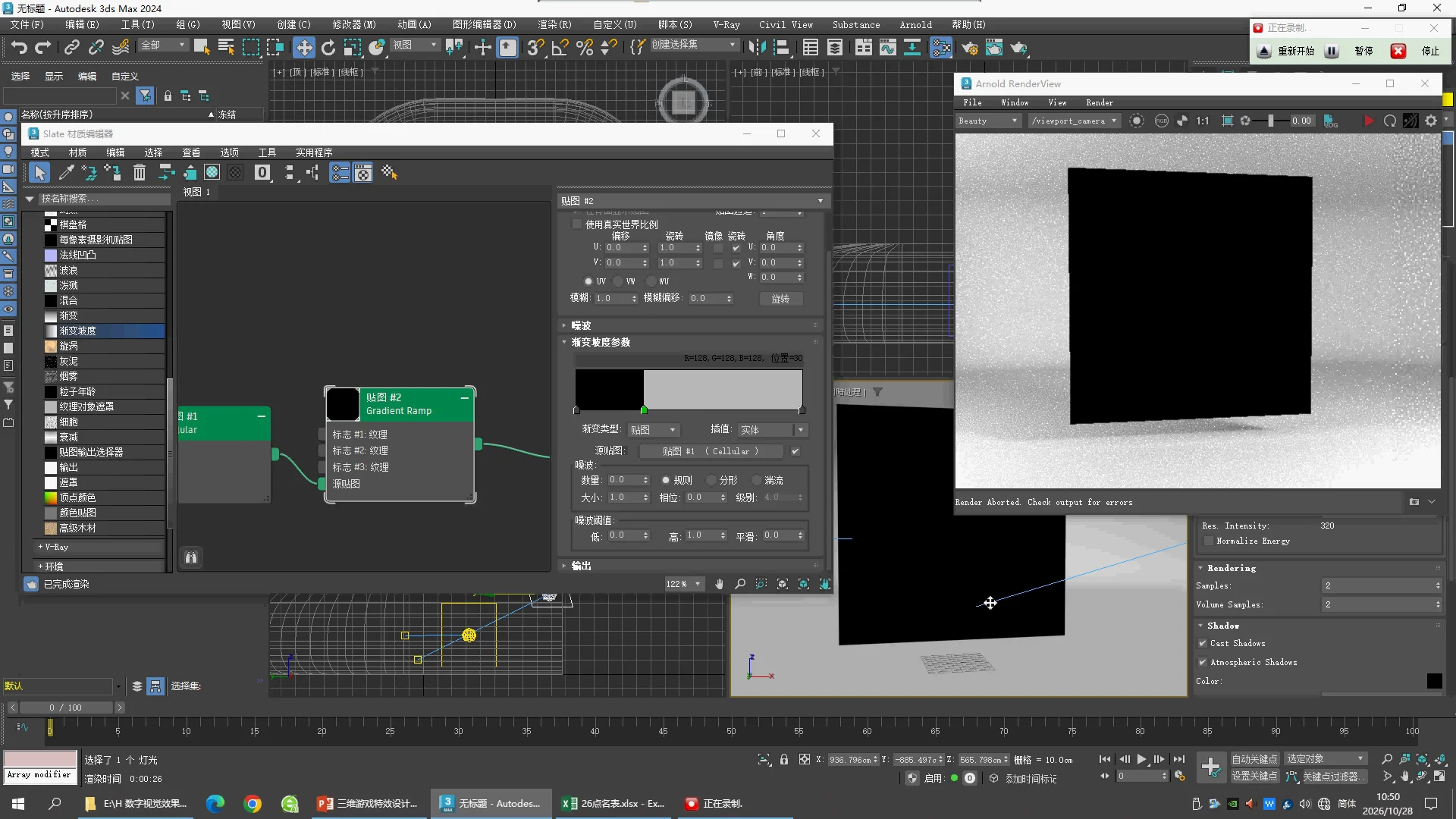
14:00 · Solid threshold
Gradient Ramp 此时选中的白色色标 Position 10、RGB 255/255/255;左侧仍有黑色,右侧白色。Gradient Type = Mapped、Interpolation = Solid。它把 Cellular 连续灰度变成边缘清晰的黑白斑块;其余色标未逐一选中,不声称全色标核对完成。
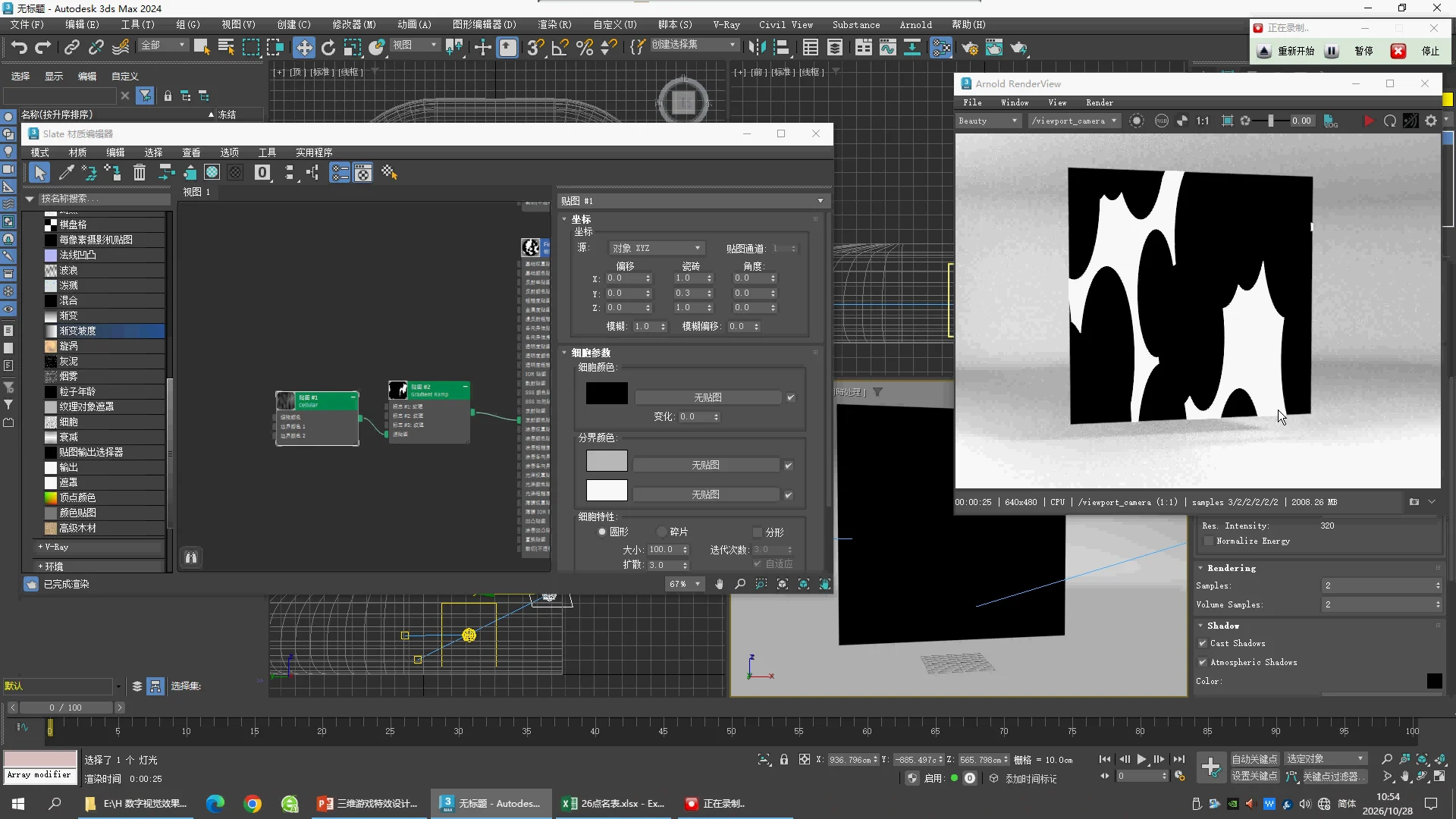
16:10 · Stretch the cells
Cellular Coordinates Source = Object XYZ,Offset XYZ = 0,Tiling XYZ = [1,0.3,1],Angle XYZ = 0,Blur = 1,Blur Offset = 0。Size 100、Spread 3、Circular、Fractal Off。画面中的黑色斑块被拉长,这是制作火舌形状的中间步骤。
Editable shape study
Download MAX · Saved parameter readback
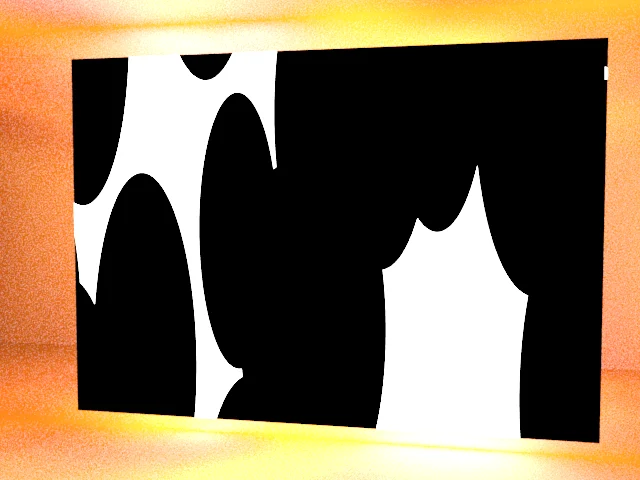
基于 Test.max 的 Plane、摄影棚和 Physical Material 重建本片形状阶段。保留 Cellular → Gradient Ramp → Emission Color Map;关闭源文件后期的 Cutout Map,让这一阶段呈现完整黑白平面。Plane 为源文件的 500×350 cm,并非视频逐值确认。
已保存并重开检查材质与贴图。Solid 来自之前通过界面验证的原生模板,白色色标 Position 10。未展示的灰色采用127.5,黑白端点采用0/100。相机补充为 Position [150,−700,230]、看向 [0,0,188]、FOV45°;灯光与摄影棚继承源文件,背景仍与视频不同,不能称场景逐值复刻。
为什么刚才全黑?
初次相机在棚外,被棚体遮挡;移入棚内后黑白形状正常出现。这次故障来自取景位置。排查时应先确认相机能看见平面,再检查贴图。
原片画面索引