已有后半段42颗顶点实例的独立MAX,以及前半段三组Speed试验MAX。已保存重开读取参数和粒子位置。仍未完成:三组Speed试验的完整渲染动画、老师镜头灯光与全部中途操作的复刻。
Shape Instance · two different objects
已检查 82 张、约每 20 秒一张的画面,并核对以下 16 张原分辨率截图。前半段演示速度、方向和内置形状;后半段重新建立球面粒子。没有把前后两段拼成同一个最终场景。
Follow the second setup
- Create GeoSphere001,Radius 30 cm,Segments 2,Icosa,位置 [0,0,50]。
- Position Object 的 Emitter Objects 选择 GeoSphere001。它用来安排粒子的出生位置。
- 老师后续将粒子安排到球的顶点,显示 Total 42。已补查:Location = All Vertices;Birth Start = Stop = −1,Amount 42;Speed 0。
- Display 设 Geometry,先观察 Cube 粒子。
- 另建 GeoSphere002,然后用 Shape Instance 替换 Shape。在 Particle Geometry Object 中选 GeoSphere002。
- Scale 150%,Variation 50% 是本片结尾可见值。GeoSphere002 Radius 10.0 cm,Segments 2,Icosa,已从 24:20 画面确认。
Scale 150%:每颗粒子以参考模型为基础放大。Variation 50%:让颗粒大小不一致。Animated Shape:是否持续读取参考模型的形变动画;本片结尾未开启。我们另做的雨滴练习开启了它,属于补充内容。
03:10 · Initial direction
PF Source X Rotation −180°. Birth 0–30 / 200;Position Icon = Pivot;Speed 300 cm,Variation 0,Along Icon Arrow,Divergence 0。
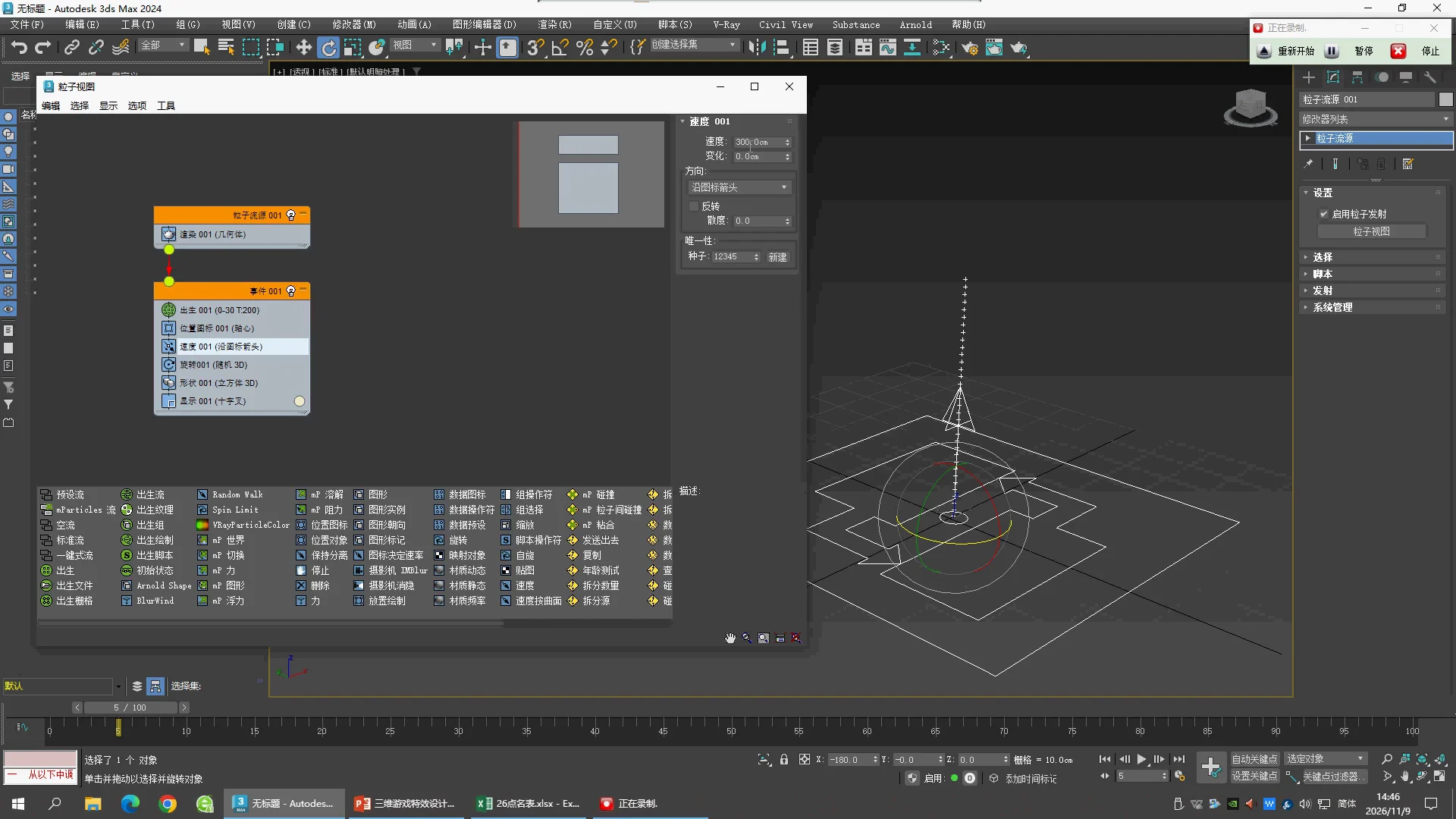
07:10 · Spread trial
Speed 5 cm,Variation 5,Icon Center Out,Divergence 180°。这是中途试验。
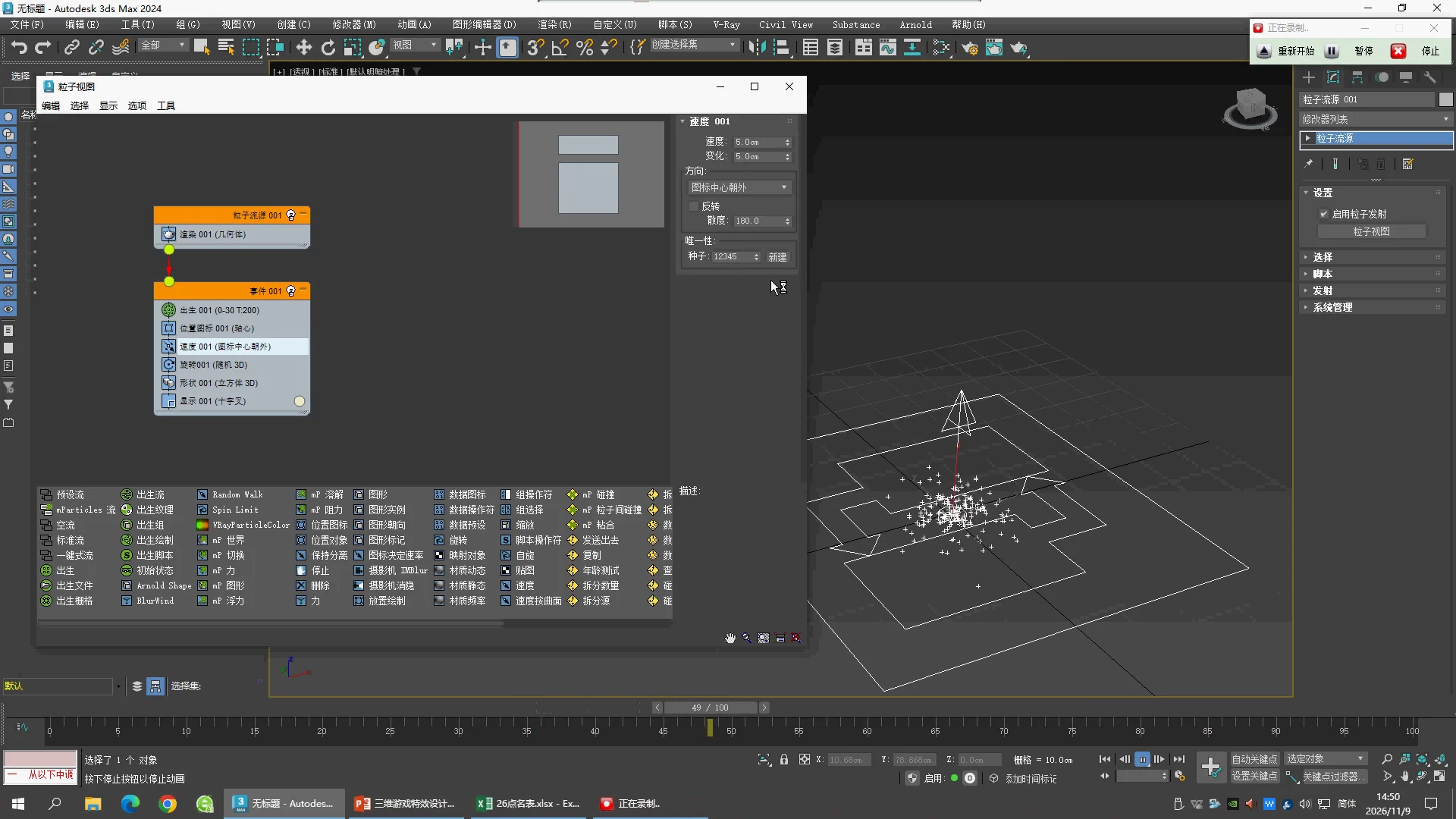
09:30 · Narrow upward stream
Speed 10 cm,Variation 5,Along Icon Arrow,Divergence 20°。
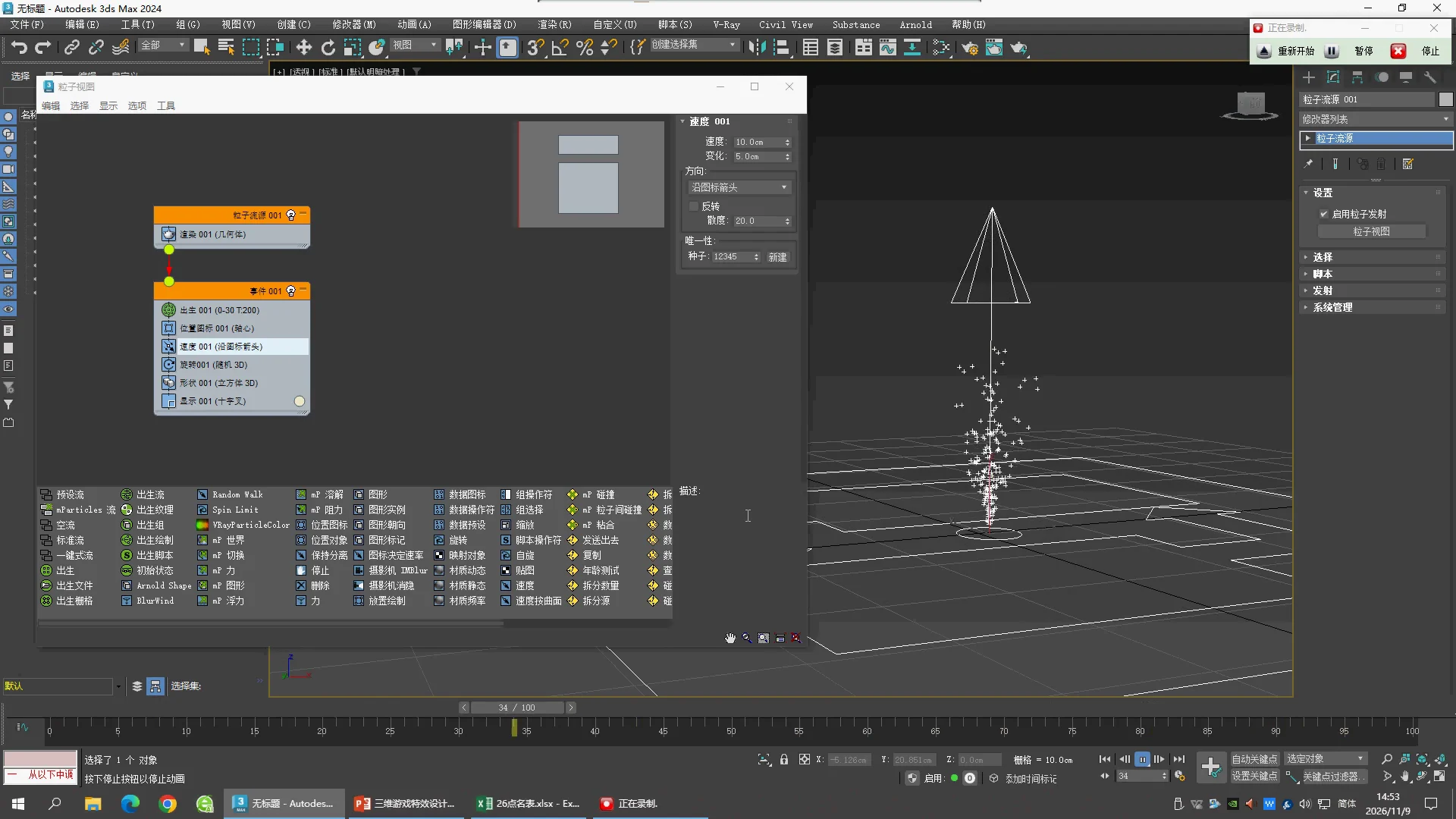
12:10 · Geometry display
Display 改成 Geometry 后能看到 Cube,Rotation = Random 3D。此前十字显示并不意味着没有模型。
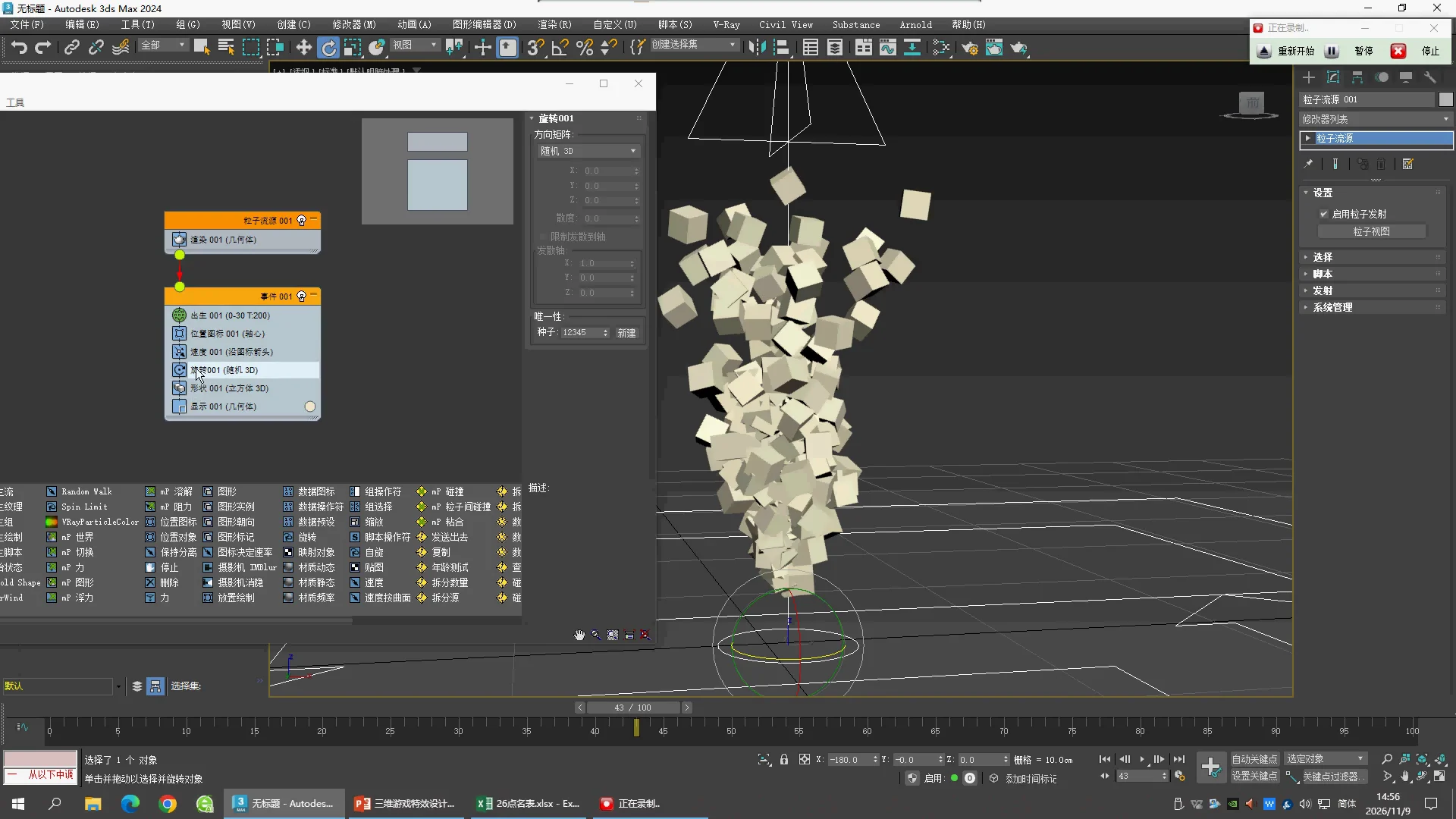
19:30 · Second setup
新建 GeoSphere001,位置为 [0,0,50]。这不是前半段喷射形状的延续参数。
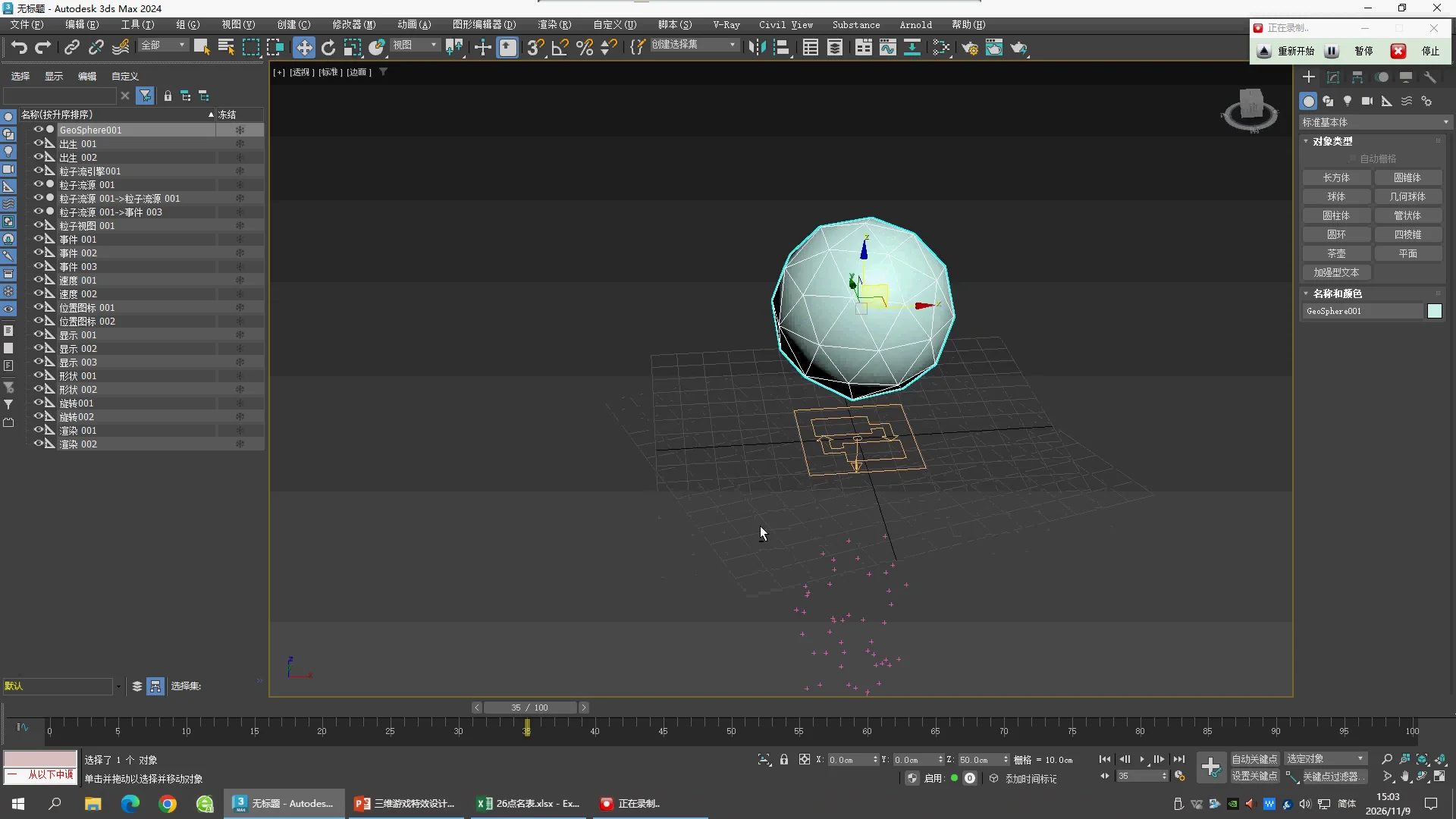
20:30 · Position Object choices
Emitter Objects = GeoSphere001,老师展开 Location,比较出生位置类型。
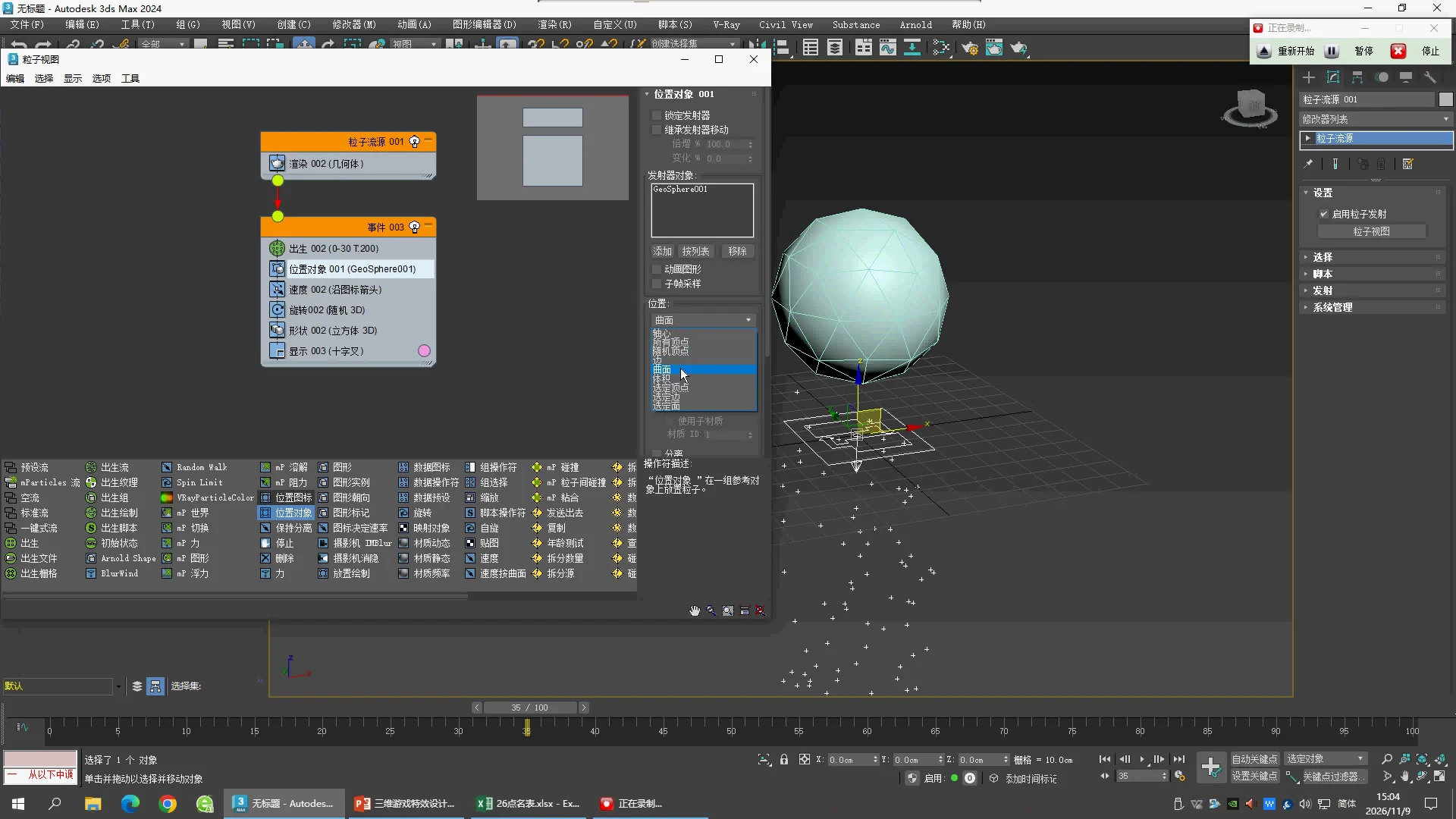
21:50 · All Vertices
Position Object → Location = All Vertices。
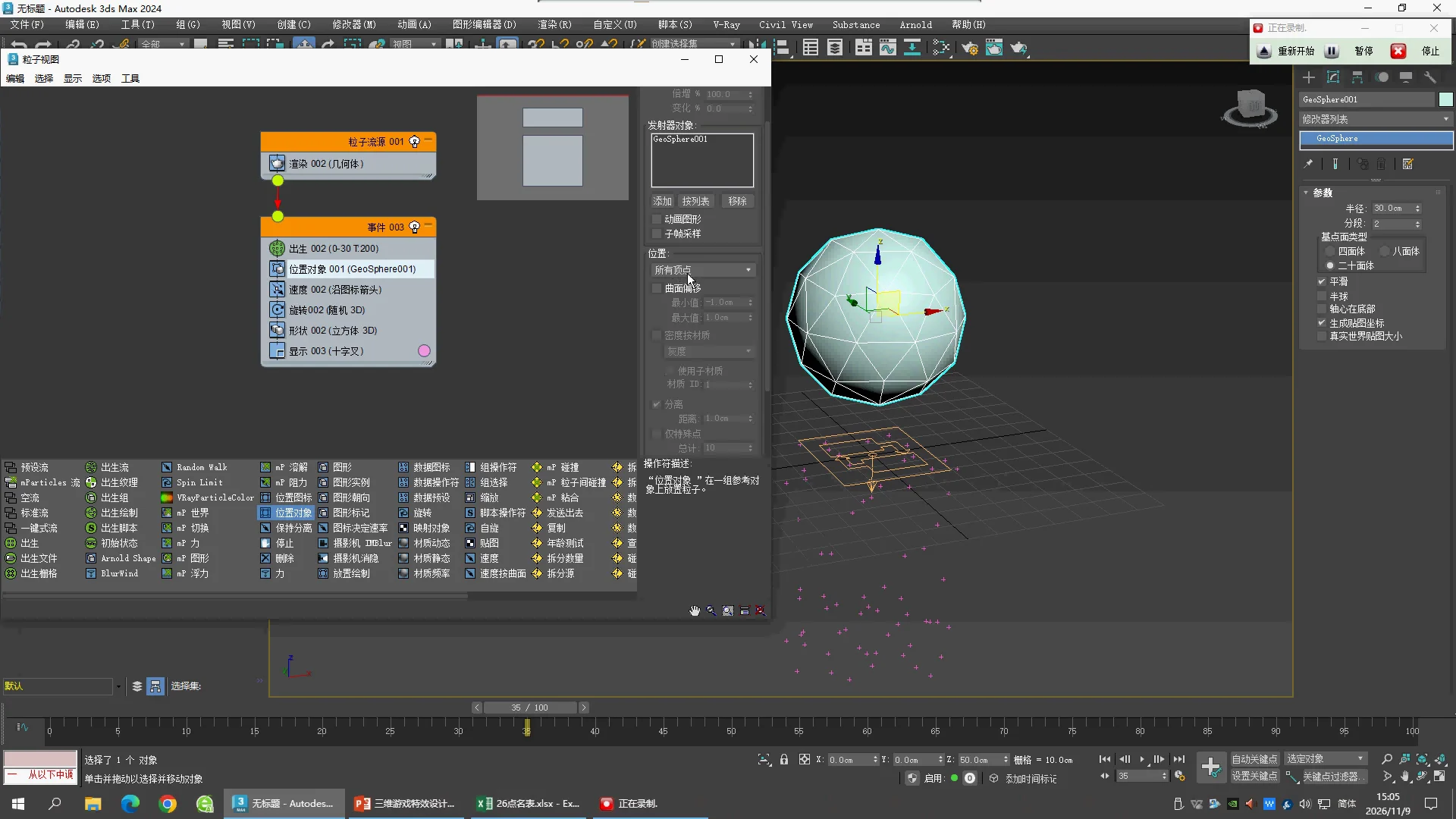
22:00 · Count the vertices
Object Properties 显示 GeoSphere001 有 42 个顶点。
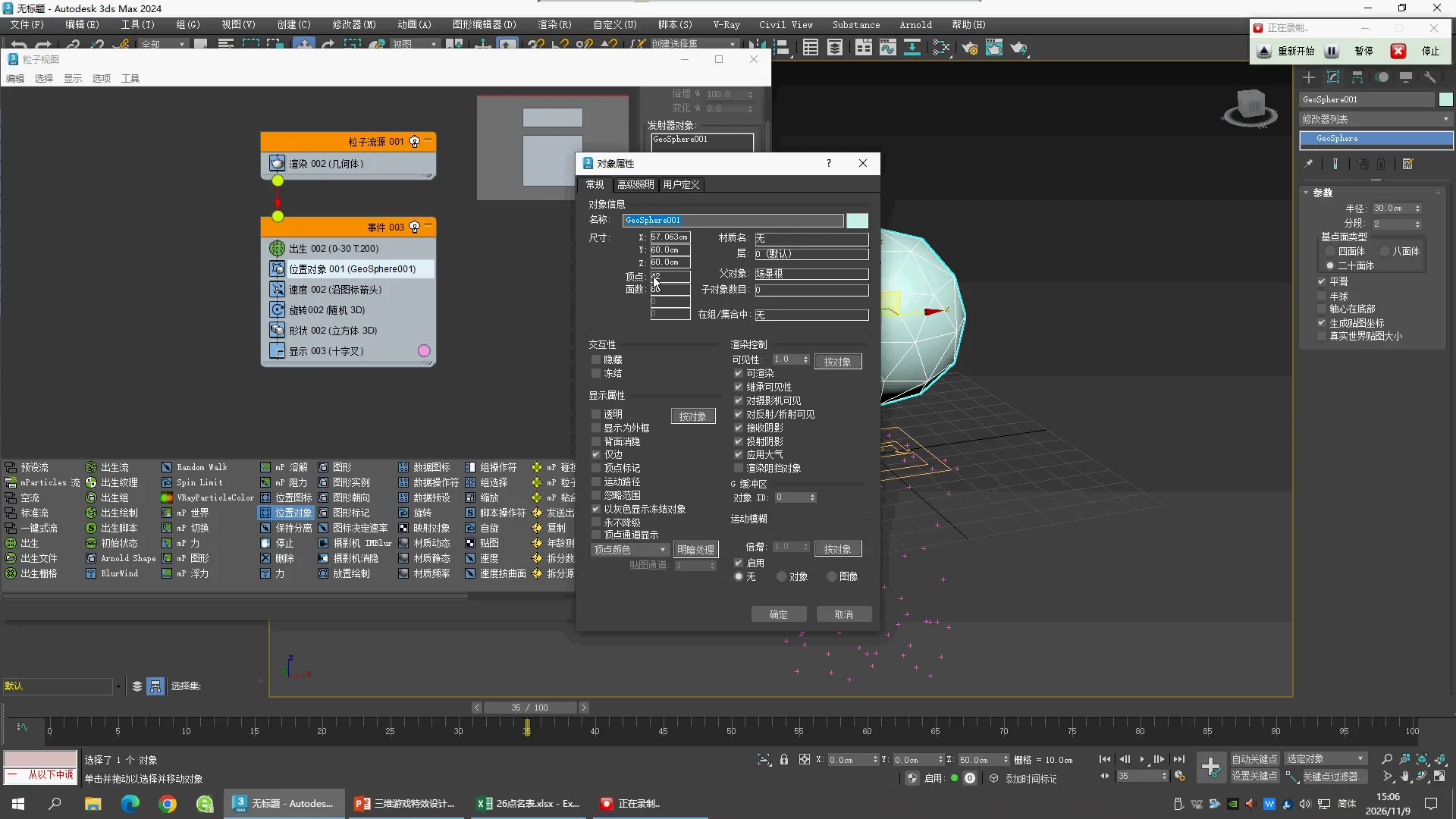
22:10 · Emitter dimensions
GeoSphere001 Radius 30 cm,Segments 2,Icosa。Birth 此时仍为 0–30 / 200。
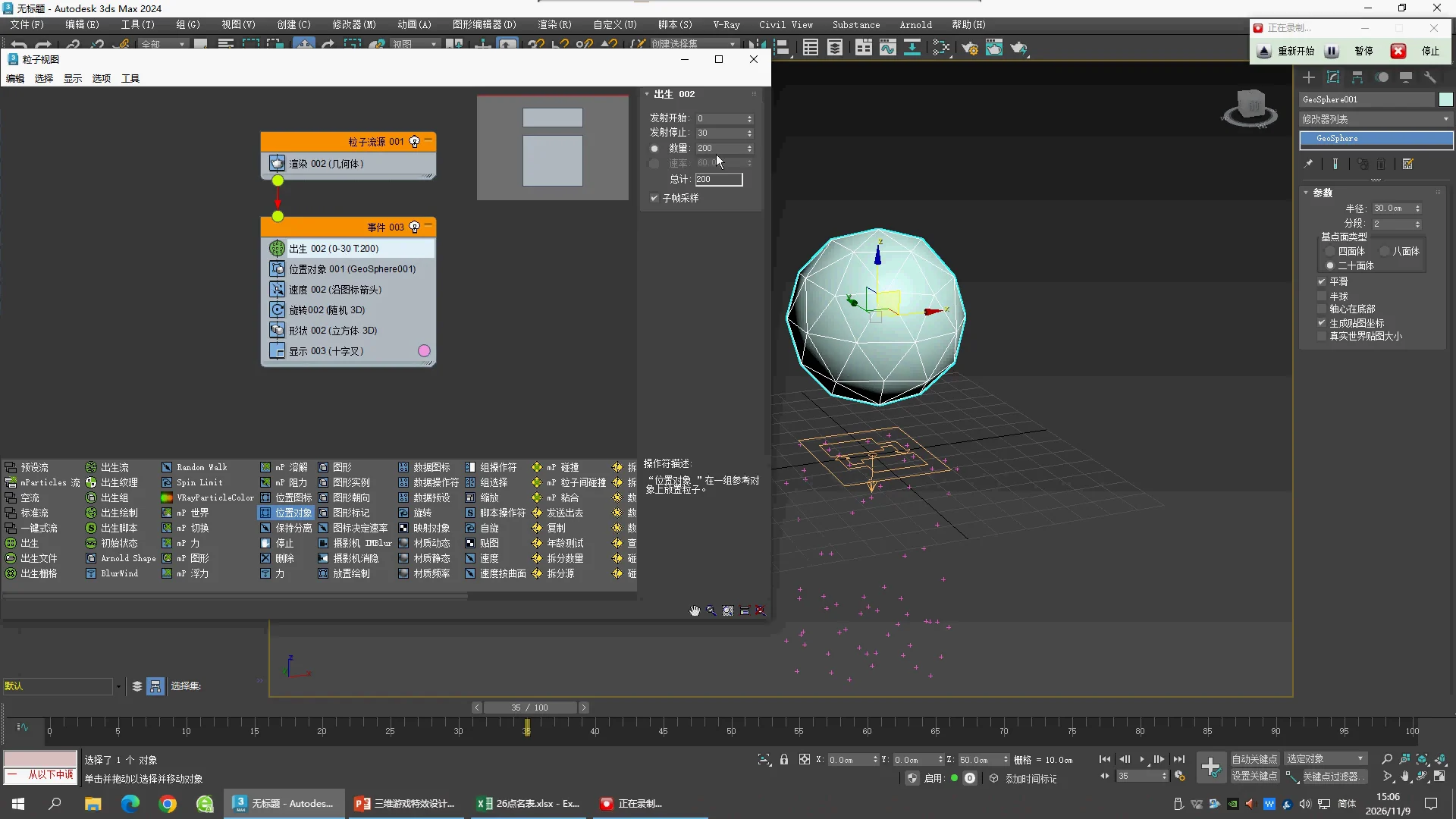
22:30 · Birth at frame -1
Emit Start −1,Emit Stop −1,Amount 42;一次生出 42 颗粒子。
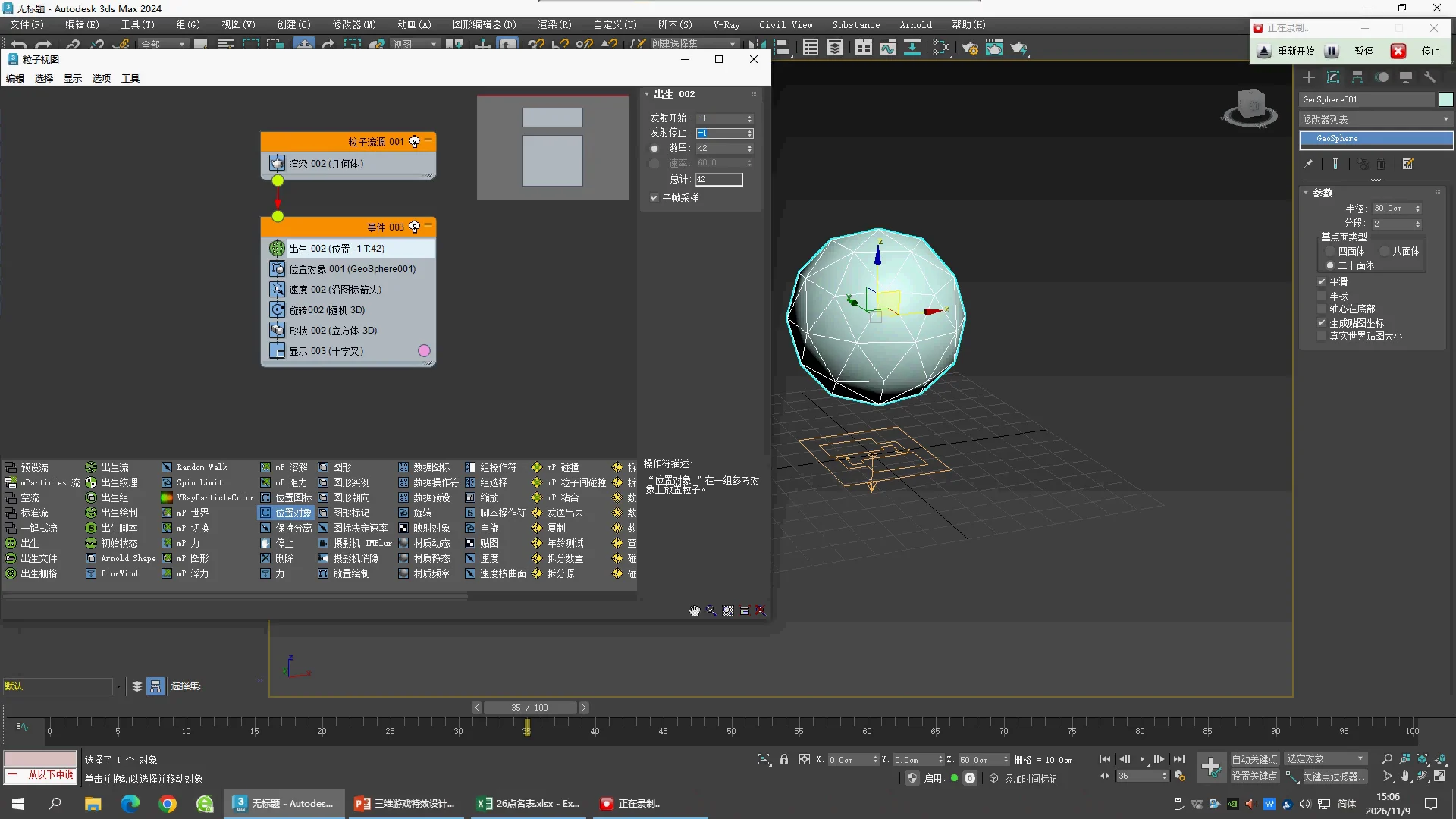
23:00 · Keep particles in place
Speed 改为 0.0 cm,Variation 0,Divergence 0;颗粒不再沿默认方向离开球面。
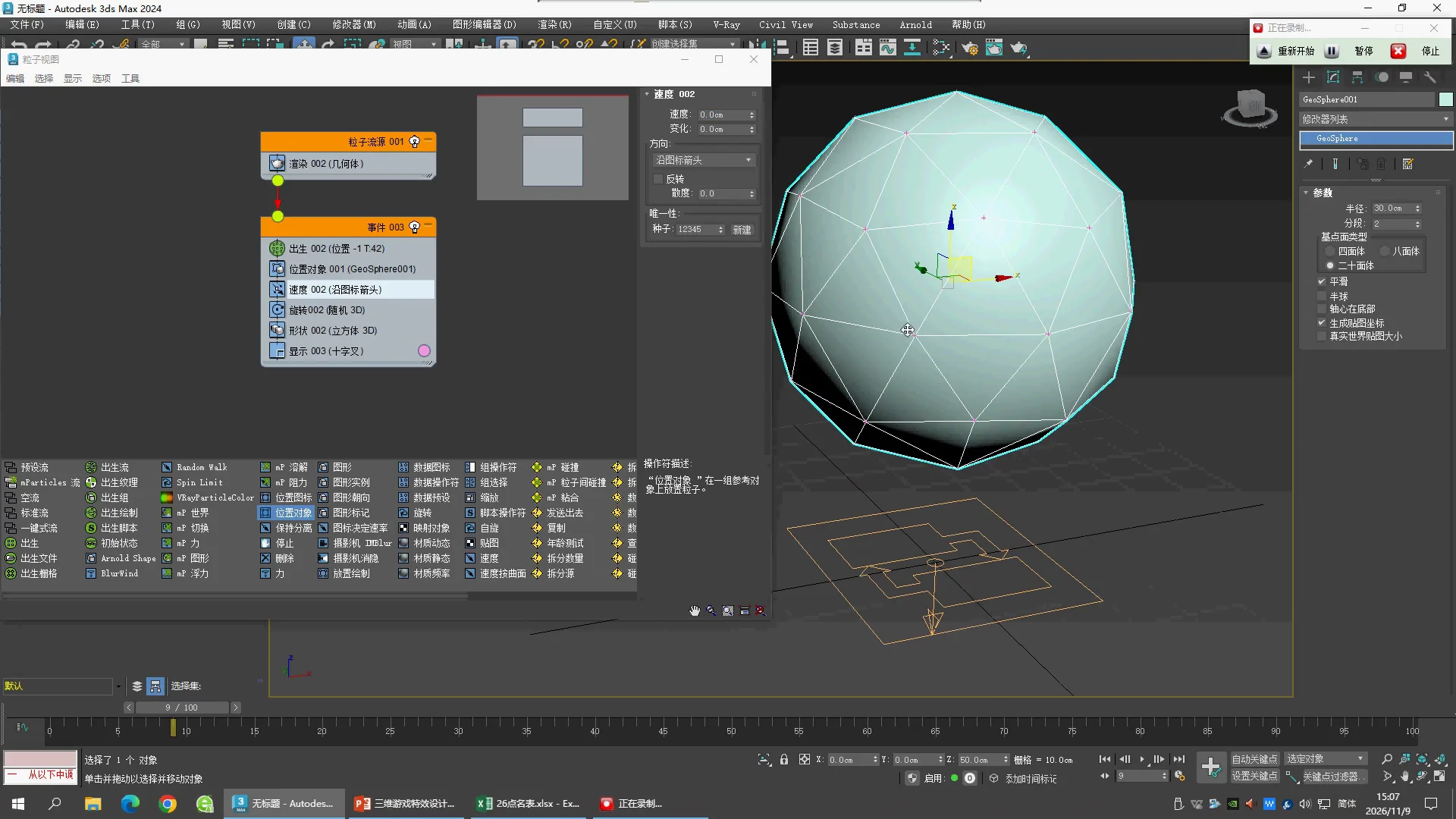
23:30 · Vertex placement result
节点摘要变为 Birth 时间 −1 / Total 42,粒子十字落在球面网格顶点上。后续加查的 21:50、22:30、23:00 画面分别证明 Location、Birth 和 Speed 设置。
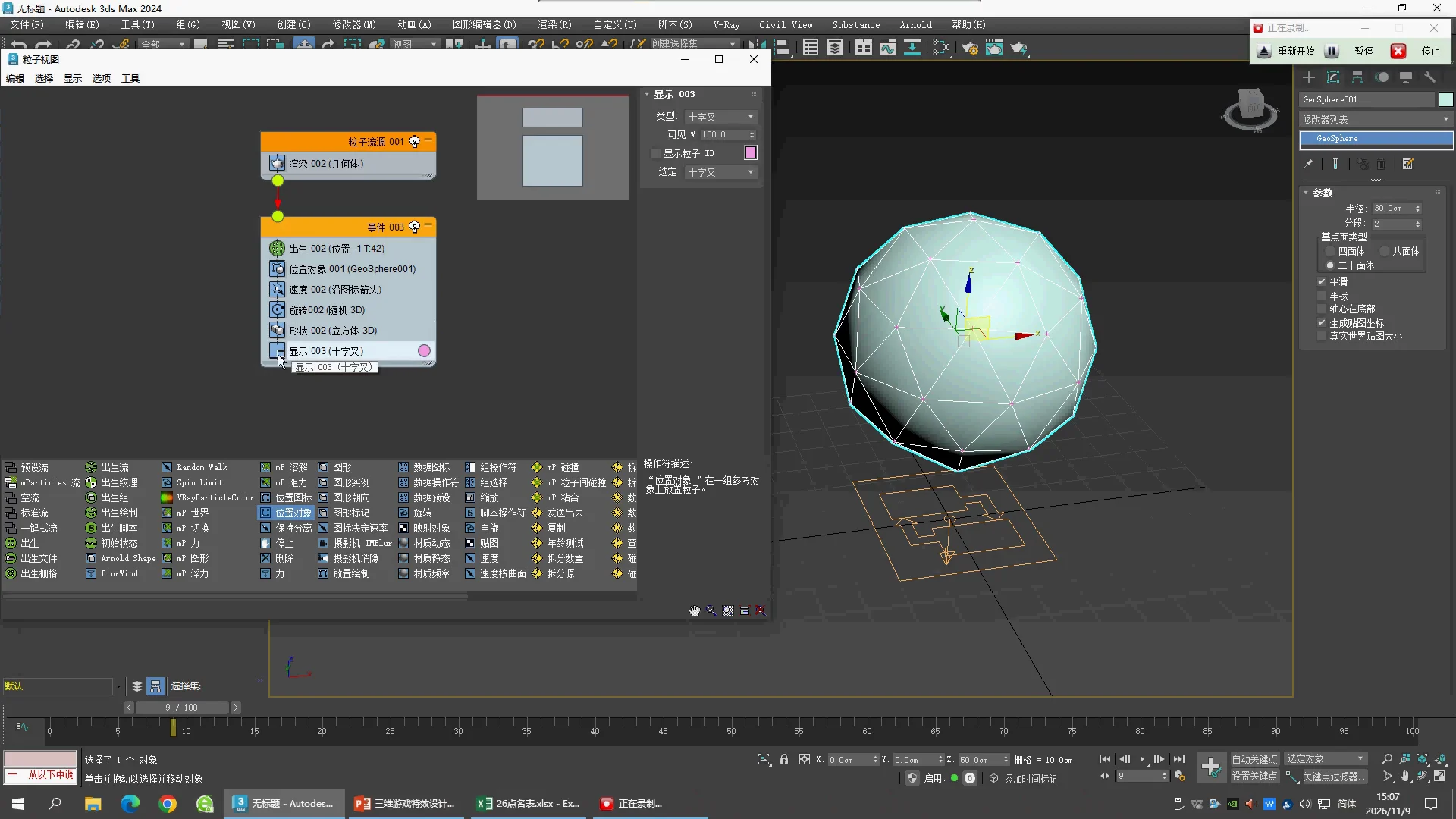
24:20 · Reference sphere size
GeoSphere002 Radius 改为 10.0 cm,Segments 2,Icosa。
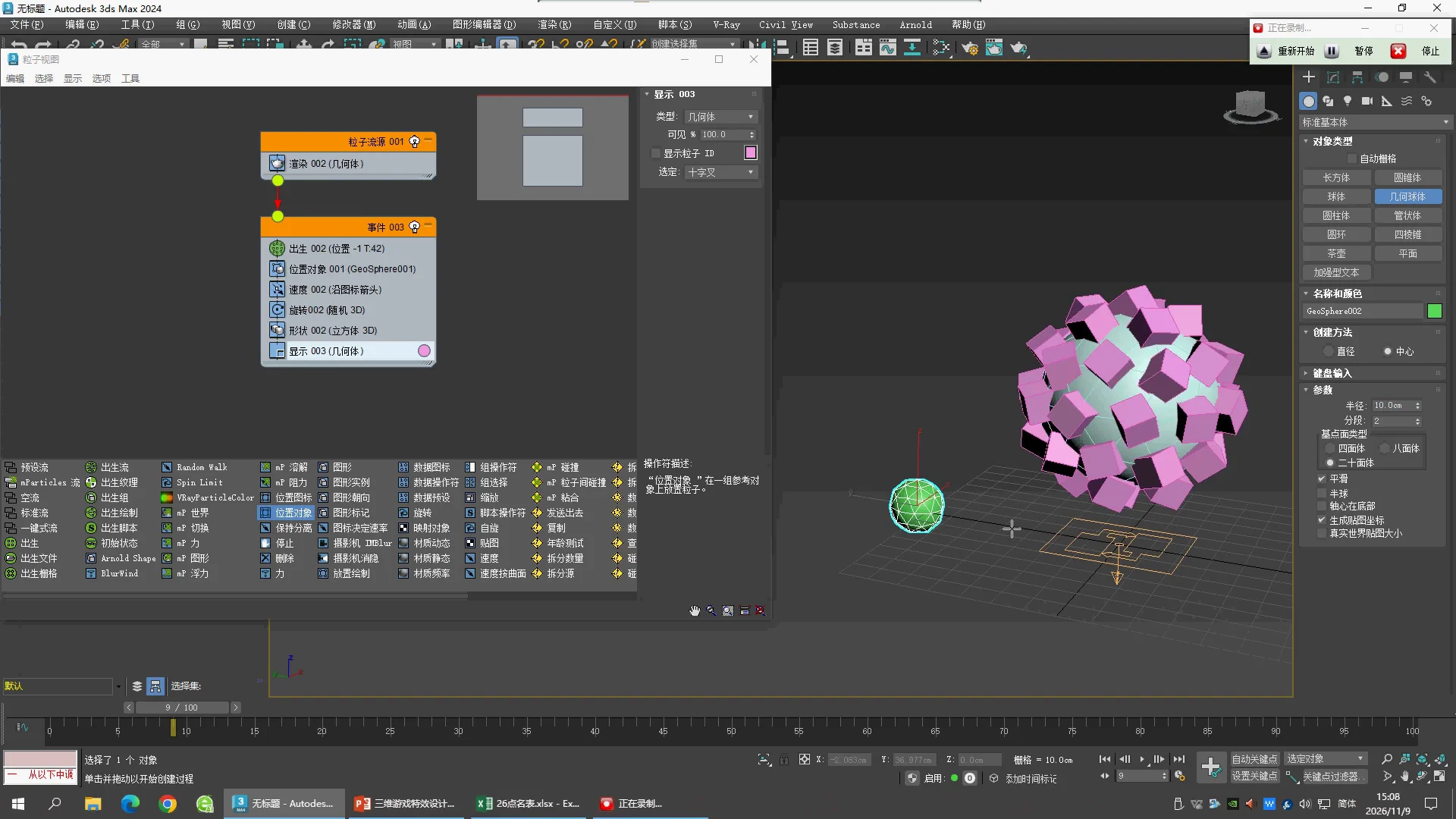
25:10 · Replace Shape
Display Geometry 显示球周围的 Cube;老师把 Shape Instance 拖入原 Shape 位置。
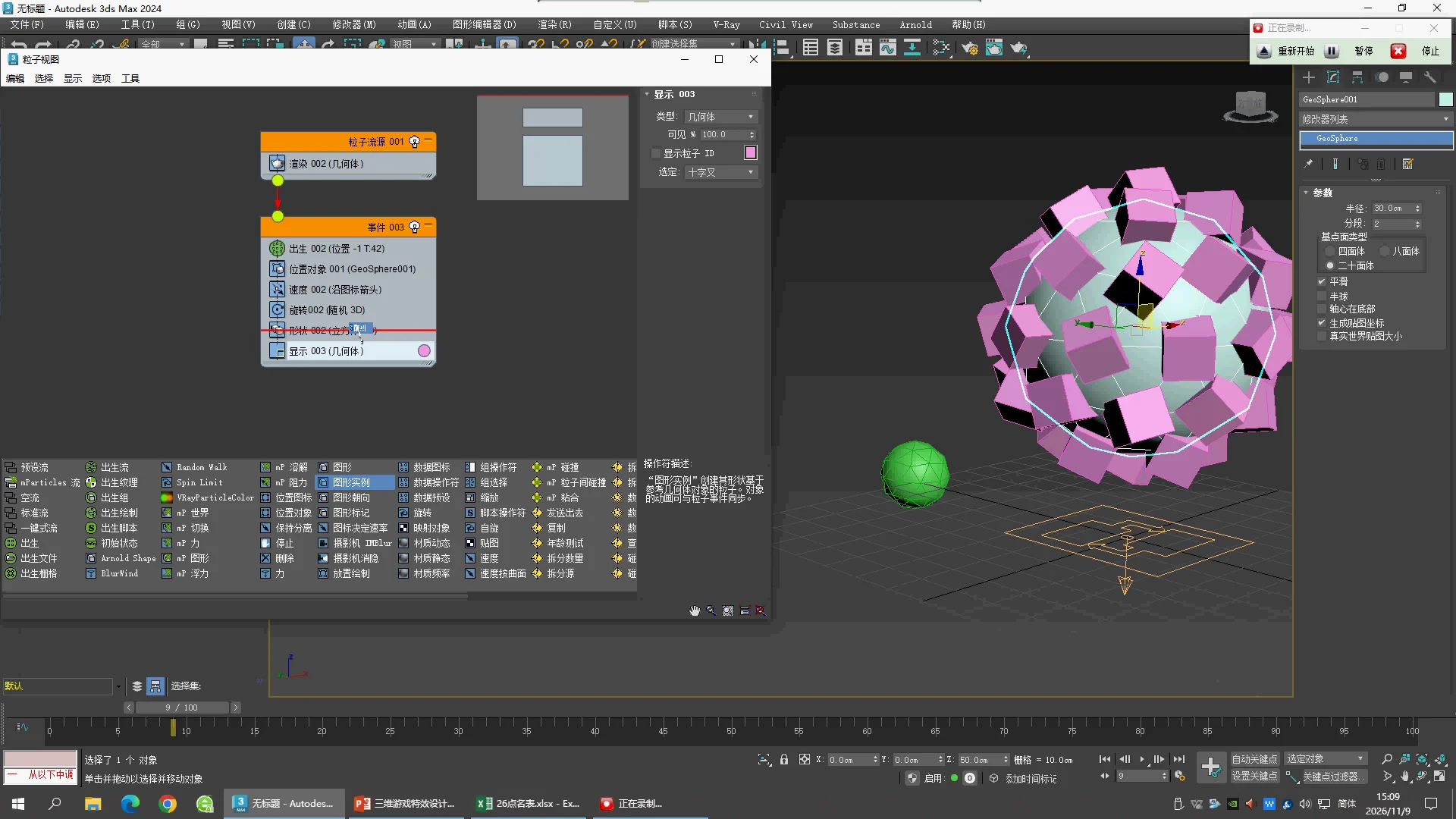
26:10 · Scale variation trial
Shape Instance 绑定 GeoSphere002(42 vertices / 80 faces),Scale 200%,Variation 90%;Acquire Mapping 和 Acquire Material 开启。
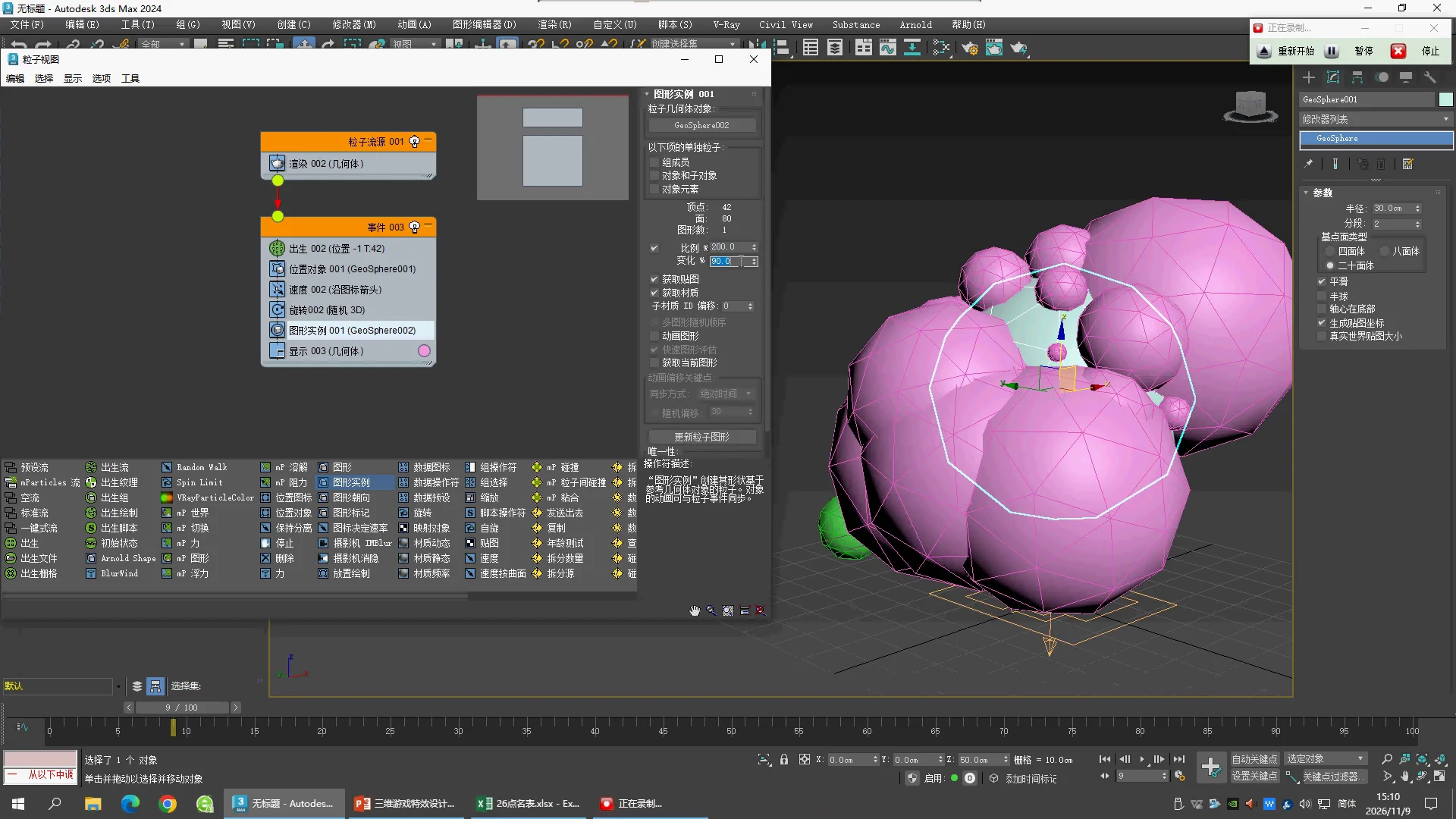
27:10 · Final visible scale
Shape Instance Scale 150%,Variation 50%;Animated Shape 未勾选。大球 GeoSphere001 控制出生位置,小球 GeoSphere002 控制粒子形状。
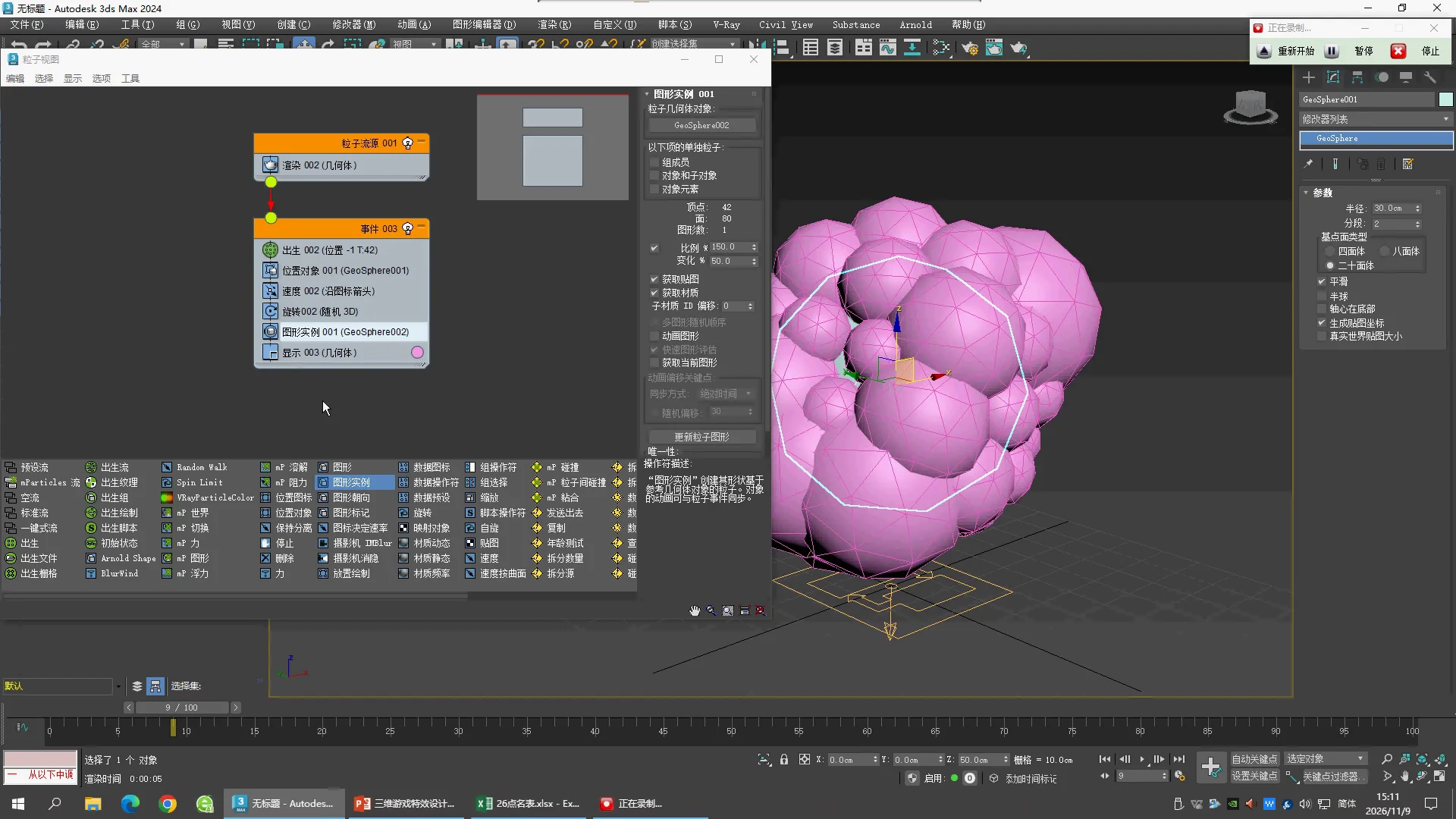
Editable vertex-particle study
Download MAX · Native verification
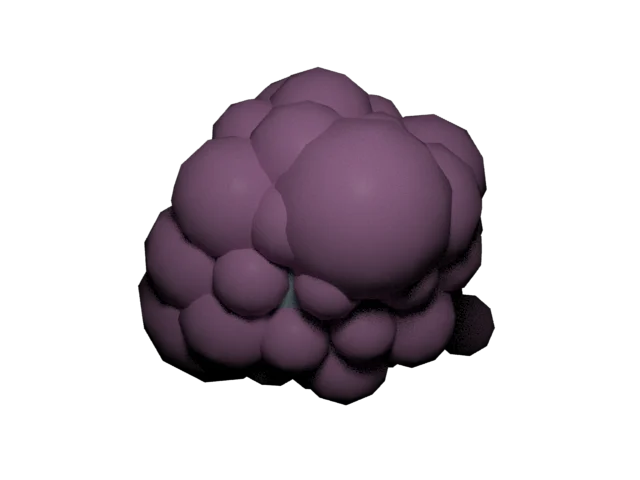
已用上述核对值建立原生 PF 工程,重新打开后读到 42 个不同位置的粒子。镜头、Arnold 灯光、渲染材质和颜色是补充观察设置;不是老师镜头或材质的逐值复刻。本文件重建后半段最终小球布局,未包含前半段全部试验分支。
前半课:三次 Speed 试验的独立工程
这三组来自原片03:10、07:10、09:30,已分别保存MAX并重新打开读取。每组Birth均为0–30帧、Amount200,Position Icon=Pivot,PF Source绕X旋转−180°。PF Source位置采用原点补充值;Cube Size10沿用默认值;Display设为Geometry方便观察,与这三个时点老师的Crosses显示不同。
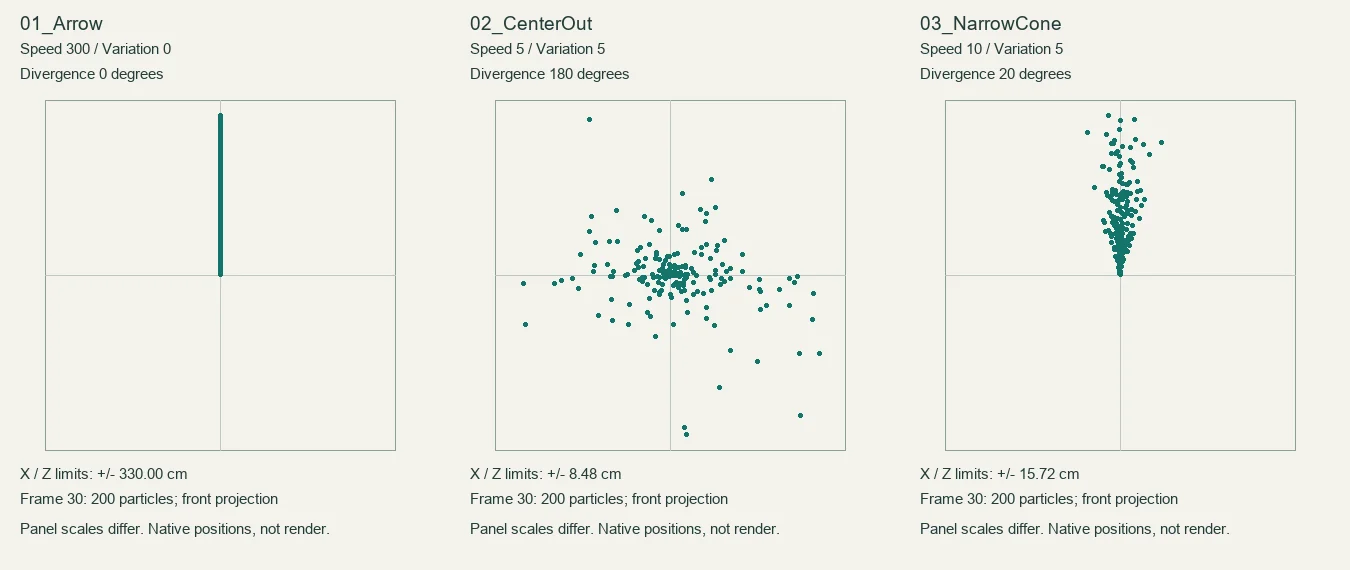
| 工程 | Speed / Variation | Direction | Divergence |
|---|
| 01_Arrow | 300 / 0 | Along Icon Arrow | 0° |
| 02_CenterOut | 5 / 5 | Icon Center Out | 180° |
| 03_NarrowCone | 10 / 5 | Along Icon Arrow | 20° |
Reverse均关闭,Random Seed=12345。Speed控制快慢,Variation让各粒子的速度不同;Direction给出基本方向,Divergence让方向散开。
看实际模拟位置
下图使用重新打开MAX后读取的第30帧粒子坐标,投影到X/Z平面。三组均为200颗,重叠的点可能看起来更少。每格轴范围不同,不能按图上长度比较速度;请看轴范围数值。本图不是Arnold渲染。
自己动手
- 分别打开三个工程,按6找到Trial_Speed,对照表格核对。
- 回到0帧,再拖到30帧。若Geometry立方体遮住运动分布,可将Display改成Crosses。
- 在03_NarrowCone里只把Divergence从20改为0,回0帧再播放:粒子方向应该收拢。恢复20,再只把Variation从5改为0,比较同龄粒子的距离。
- 这些是独立试验状态,不是把三个Speed堆在同一事件里。改值前可另存练习副本。
还未制作这三个试验的灯光、渲染镜头和完整视频;后半课42球顶点实例仍使用上面的独立工程。
01_Arrow.max
02_CenterOut.max
03_NarrowCone.max
原生参数及粒子位置记录